What is an interactive 3D demonstrator?
An interactive 3D demonstrator is a 3D representation of a product that people can handle, built from its CAD files or, failing that, from drawings and photos. It is also called an interactive 3D product demo or presentation. Visitors rotate the product, make its casing transparent, separate the sub-assemblies in an exploded view, watch the mechanisms work and open an info card on each key point, in a browser or on a dedicated workstation.
What is the difference between an interactive 3D demonstrator and a 3D animation?
A 3D animation is a video: it shows the product in an order fixed in the edit, the same for every viewer. An interactive 3D demonstrator is hands-on: visitors choose what to look at, make the product transparent, explode it, set it working and open an info card on each key part. The two complement each other, and product videos can reuse the 3D model of the demonstrator.
How much does a 3D demonstrator cost?
The price of a 3D demonstrator depends on four factors: the product (its complexity and the files available), the number of hotspots and animations, the level of realism and the target media (trade show, meetings, deck, website). METASENSE prices each project individually after a first conversation, once your files and deadline are known.
How long does it take to build a 3D demonstrator?
A browser-based 3D demonstrator takes a few weeks to build. High-fidelity or immersive versions take longer, depending on the product and the files available. The schedule is set during scoping, working back from the date of the show and allowing for your internal approvals.
Which CAD files do you work with?
METASENSE starts from your CAD files, in their native format or an exchange format (STEP, IGES, Parasolid, JT), at the level of detail you choose. If no CAD file can be shared, METASENSE models the product from drawings, photos or visual references, and your engineers then confirm its accuracy.
Are our CAD files protected in a 3D demonstrator?
Your original CAD files are never published in a 3D demonstrator. METASENSE derives a lighter model from them, without the internal parts or metadata you do not want to disclose. As with anything displayed in a browser, the published model can be captured, so it only contains what you have chosen to show.
What do we need to provide to start a 3D demonstrator?
To start a 3D demonstrator, METASENSE needs four things: the CAD files of the product (or, failing that, drawings and photos), the list of points to show, what must not be disclosed and the deadline. On your side, your teams approve the storyline and info cards, and your engineers carry out a technical review before production.
What hardware does a trade show 3D demonstrator run on?
The web version of the 3D demonstrator runs in a browser, with no app to install: touchscreen, kiosk, touch table, tablet, computer or phone. High-fidelity and immersive versions run on a dedicated workstation, which we can supply along with the rest of the stand hardware. Gesture control uses a webcam placed above the screen.
Can you build a 3D demonstrator of a defence product?
Yes, METASENSE can build a 3D demonstrator of a defence product, using only information cleared for release. Your export control officer decides what can be shown, and a non-disclosure agreement is signed before any files are exchanged. A version for the public stand and a more detailed version for private meetings can coexist.
Can a 3D demonstrator be viewed in augmented reality?
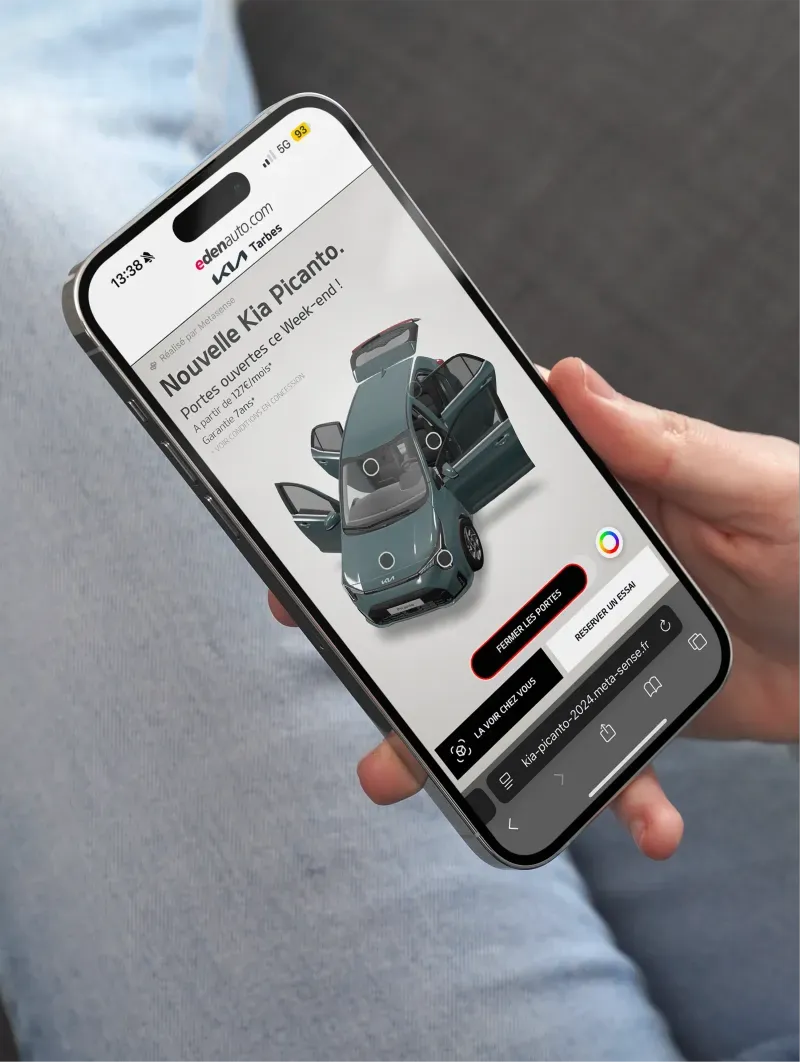
Yes, a 3D demonstrator can switch to augmented reality with no app: from their phone, visitors place the product at full size in front of them. METASENSE set up this app-free augmented reality for dealer group Edenauto, for the Kia Picanto launch.
What is the difference between a 3D demonstrator and a 3D configurator?
A 3D configurator is for choosing options. A 3D demonstrator is for understanding the product: its internals, its mechanisms, its key parts. The two can be combined, and colours, versions or options can be added to the demonstrator. For dealer group Edenauto, METASENSE built the 3D configurator for the Kia Picanto.
What data does a 3D demonstrator collect about its visitors?
A 3D demonstrator measures how it is used: hands-on sessions, exploration time, most viewed hotspots. At a trade show, these measurements stay anonymous and feed into the stand report. On your website, when a visitor requests a demo, the hotspots they viewed go with their request, with their consent, and can be passed to your CRM.
In which languages can a 3D demonstrator be offered?
The 3D demonstrator comes in the languages of your trade shows. Visitors choose their language and every info card follows. Your teams review the translations before going live, and adding a language does not mean rebuilding the demonstrator.
What happens to the 3D demonstrator after the trade show?
After the show, the 3D demonstrator keeps working: your sales team uses it on tablets in meetings, and it fits into your deck and your website. Further products, languages or info cards can be added later.