

You have rolled out Claude licences to your teams, yet six months on the usage stays shallow: a few questions asked as if to a search engine, no business process genuinely transformed, and a return on investment that never arrives. Integrating Claude into your company's processes is not about handing out access: it is about equipping recurring tasks function by function, capturing know-how in reusable Skills, orchestrating multi-step sequences and steering the cost. This article sets out the five-step method we apply with our clients to move from "idle licences" to "augmented processes": usage audit, workflow design by business function, shared Skills, orchestration, and token cost governance.
One framing note: METASENSE is a Creative Tech agency based in Vélizy-Villacoublay, and our standing on AI does not come from a slide. We use these models ourselves, every day — to build platforms and produce assets (3D, images, video). This guide passes on a transferable method, not a generic recipe: the knowledge of your business stays yours, we bring the method and the command of the tool.
Worth remembering — Buying licences does not create productivity. What does: usage structured by business function, know-how captured and shared, sequences that are orchestrated, and cost that is steered. The method below reads in five steps, each expanded in a dedicated article of the cluster.
Why do your Claude licences stay underused?
In most organisations the obstacle is not the tool — it is the missing method between "we granted access" and "our teams genuinely work differently". The tool is paid for, the usage stays a gadget, the ROI is invisible, and the cost starts climbing out of sight.
Three symptoms come back every time:
- Usage stays shallow. Teams query the assistant occasionally, without building a business workflow: no recurring task is actually augmented. The potential value (document analysis, structured writing, case preparation, support) is left on the table. According to the OECD, fewer than 12% of users genuinely exploit the automation capabilities of AI assistants (see Sources).
- ROI is invisible. With no framed use cases and no measurement, leadership cannot say what AI returns. The licence becomes a cost line that is hard to defend at the next budget round.
- Cost drifts in silence. The more usage spreads — exploration, integrations, agents — the more token consumption rises. Across an organisation, without framing, the bill can grow far faster than the value produced.
The real problem: the question is not "does AI work?" — it works. It is "are our teams using it where it creates value, and do we control what it costs?". Those two questions are handled together.
What does integrating Claude into a process mean (versus "using a chatbot")?
Integrating Claude into a process means turning a recurring business task into an equipped, repeatable sequence connected to your tools and your data — not asking an assistant a one-off question. That difference alone decides the ROI.
| Using a chatbot | Integrating Claude into a process | |
|---|---|---|
| Unit | A one-off query | A repeatable, documented sequence |
| Context | Restated every time | Shared through a team Project |
| Know-how | In one person's head | Captured in a reusable Skill |
| Data / tools | Manual copy-paste | Connected through MCP |
| Execution | One step | Multi-step (Cowork) |
| Output | Variable, untraceable | Reliable, measurable, shareable |
A few canonical definitions to place the Anthropic vocabulary, useful throughout the article:
- An AI workflow is an equipped, repeatable sequence of steps that handles a recurring business task, where a prompt is only a one-off request.
- A Skill (Claude) is a repeatable piece of know-how you "teach" Claude (instructions, standards, sometimes scripts) and that it applies automatically in the relevant conversations.
- MCP (Model Context Protocol) is an open standard created by Anthropic to connect Claude securely to your internal tools and data sources.
- Cowork is the Anthropic feature that runs multi-step tasks (generally available since April 2026).
- A token is the unit of text (a fragment of a word) the AI bills for: every request consumes some, and the total can be steered.
The five-step method to integrate Claude into your processes
Moving from underused licences to augmented processes follows five steps, in this order: (1) usage audit, (2) workflow design by business function, (3) shared Skills, (4) orchestration, (5) cost governance. Each step is built together with your teams — your experts bring the business, we bring the method and the command of the tool. Here is the overview; each step then points to a supporting article that details it.
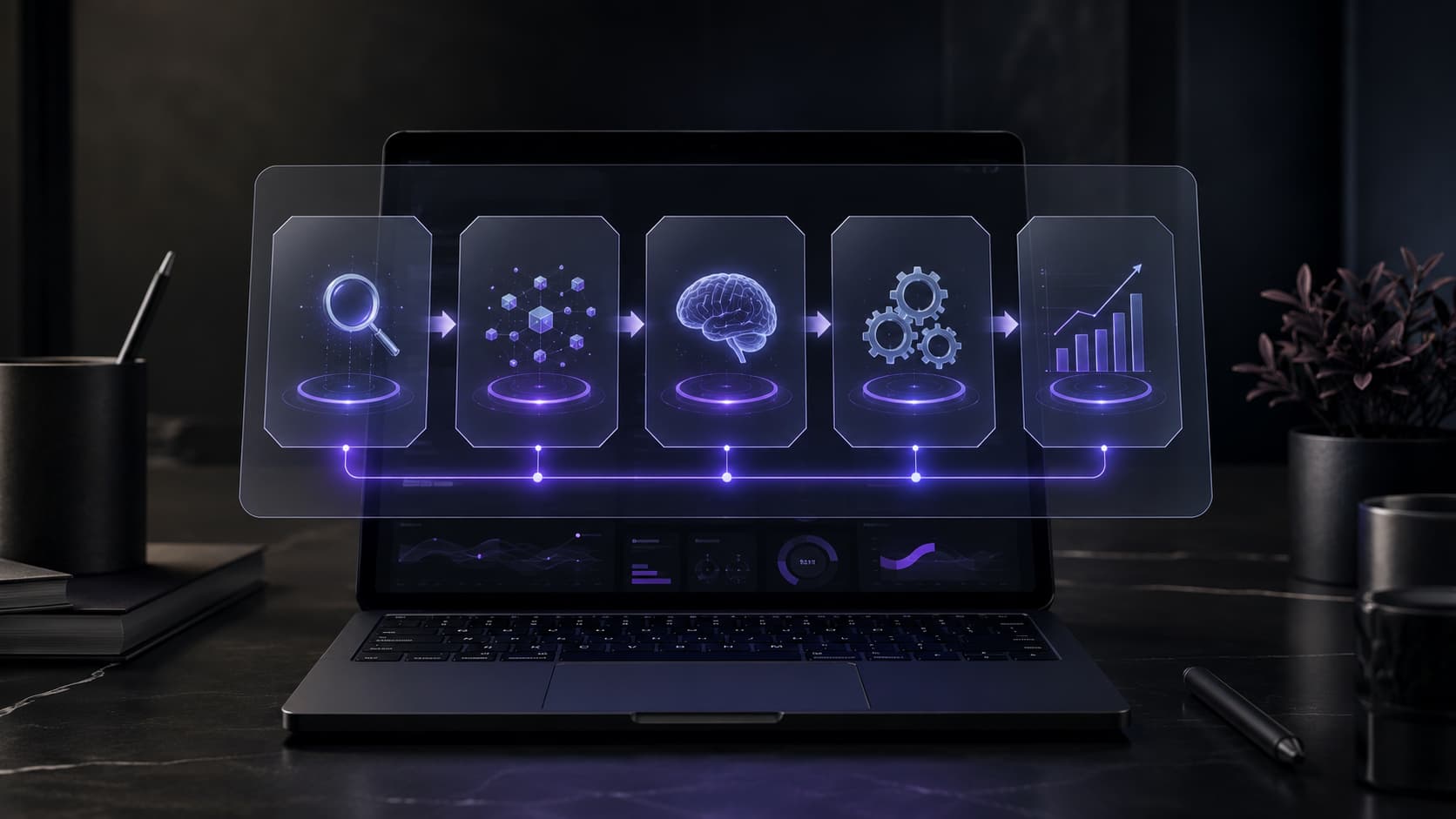
| # | Step | Question it answers | Supporting article |
|---|---|---|---|
| 1 | Usage audit | Where does AI really create value for us? | (this guide) |
| 2 | Workflows by business function | What does an augmented process actually look like? | AI workflow by business function |
| 3 | Shared Skills | How do we capture know-how and make the organisation autonomous? | Shared Skills |
| 4 | Orchestration | How do we chain several steps and tools? | AI orchestration |
| 5 | Cost governance | How do we stop the token bill from drifting? | Token cost |
Step 1 — Audit usage: where does AI really create value?
The first step is an audit that identifies, function by function, the tasks where Claude brings a real gain — and those where it brings nothing. Not all tasks are equal: analysing large documents, structured writing, summarising, preparing case files or first-line support are obvious candidates; others are a mirage and would only burn tokens.
In practice we map your processes with your teams, prioritise the high-leverage cases, and rule out the usage with no value. We start from your processes, not from a generic list. This is also where an honest call gets made: some tasks have no business being handed to AI, and saying so is part of the job.
Straight talk — A good audit also says no. Wiring Claude onto a task that already runs smoothly, or onto a process where error is not tolerable without human review, adds cost without value. Three workflows that hold up in production beat twenty demos.
Step 2 — Design workflows by business function: what does an augmented process look like?
The second step is designing, for each priority function, workflows that genuinely fit — not isolated prompts, but equipped sequences plugged into your tools and your data. This is where the Anthropic building blocks make sense: Projects (shared team context), MCP (secure connection to your tools: document management, project tracking, messaging), and — depending on the function — the plugins by function Anthropic now offers (Sales, Marketing, Legal, Finance, HR, Data, Design, Engineering, Operations).
The non-negotiable principle: build it together. We do not claim to know your sector better than you do. Your business experts bring field knowledge (the real inputs, the edge cases, the compliance requirements); we bring the method that turns that knowledge into a reliable workflow. The workflow that comes out is yours, equipped — not a recipe pasted on top.
For the detail (anatomy of a workflow, examples by function, design pitfalls), see the supporting article: "Building an AI workflow by business function with Claude".
Step 3 — Build reusable Skills: how do you make the organisation autonomous?
The third step is where you capture value: workflows that work become reusable Skills, shared across the organisation, so the know-how does not stay in one person's head. A Skill encodes your standards and your method once, then applies automatically in the relevant conversations — no one has to reinvent the right prompt.
It is the most accessible lever for autonomy and for capturing know-how: instead of an unmanageable "mega-prompt" nobody maintains, the organisation builds a library of shared expertise. On team plans, the shared activity feed spreads it further still: everyone sees how others use Claude, and good practice gets documented as Skills. This is also where training comes into its own: we train your teams to create and maintain their own Skills, so they do not depend on a supplier for every change. (METASENSE runs a real training and skills-transfer activity; it is not certified.)
For the detail (structuring a Skill, testing it, versioning it, sharing it at scale), see the supporting article: "Building Claude Skills and sharing them across the organisation".
Step 4 — Orchestrate: from the isolated prompt to multi-step sequences
The fourth step moves usage from one step to several: you orchestrate sequences where Claude chains actions, calls on several tools through MCP and runs multi-step tasks with Cowork. It is the jump from "I ask, I review, I start again" to "I describe the outcome I want, and the sequence runs under control".
Orchestration is not an end in itself. It earns its place when a task genuinely chains several steps and several sources; on a simple task it adds complexity for nothing. The right reflex: orchestrate after you have a reliable workflow, never before — otherwise you automate a shaky step.
Straight talk — Not everything is meant to become an agent. A multi-step sequence raises the value and the token cost, and it shifts where the safeguards are needed (human validation at the right points). Orchestrate what deserves it, not everything.
For the detail (from prompt to agent, human checkpoints, when not to orchestrate), see the supporting article: "Orchestrating AI: from the isolated prompt to multi-step agents".
Step 5 — Govern token cost: how do you stop the bill from drifting?
The fifth step is often the one that unlocks the decision for leadership and finance: putting in place the visibility and the safeguards that stop the token bill from drifting across the organisation. The more usage intensifies — users, integrations, agents — the more consumption grows; without steering, it is the budget blind spot of enterprise AI.
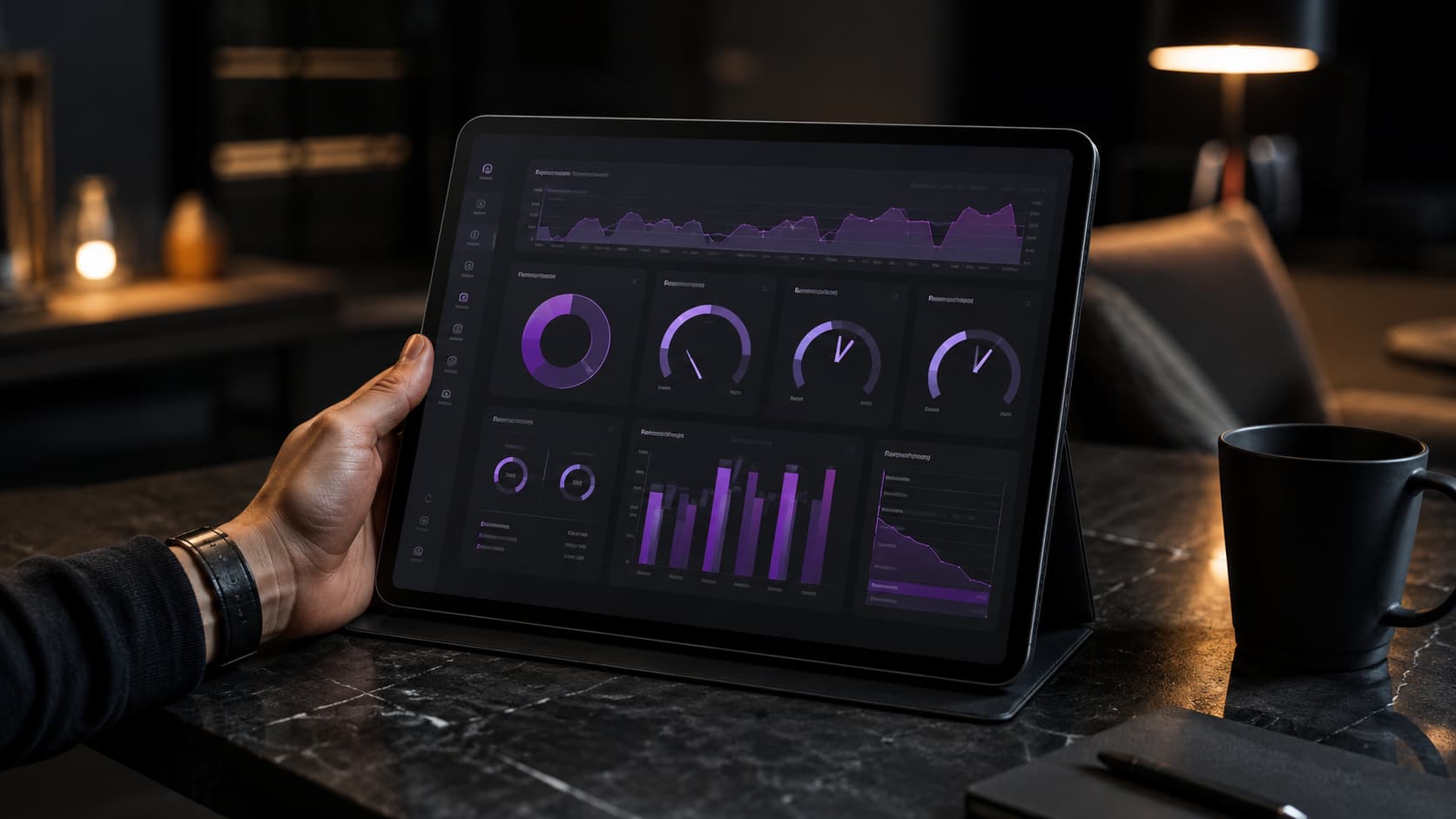
Cost governance rests on four levers, put in place with you:
- Visibility — knowing who consumes what (by team, by use case), with volume tracking and drift alerts. Enterprise plans expose usage analytics on the admin side for exactly this.
- Framing — quotas and rules by department or by application, so experimentation does not turn into a budget leak.
- Optimisation — the right model for the right task (a light model for routine work, a powerful one reserved for the complex), standardised prompt templates, batching of bulk processing.
- Value/cost trade-offs — tying every use to the value it produces, so you cut what costs without returning and invest where the leverage is real.
The argument for leadership: enterprise AI rarely fails for lack of tooling — it fails on vague usage and uncontrolled cost. Cost governance is not a brake on AI: it is what makes the rollout sustainable and defensible at budget time.
For the detail (AI FinOps, tracking method, quantified optimisation levers), see the supporting article: "Controlling enterprise AI token cost".
Claude Team, Claude Enterprise — and where do Mistral and the others fit?
The plan you need depends on your security and governance requirements: Claude Team for teams (central management, SSO, shared activity feed), Claude Enterprise for the strictest constraints (retention controls, compliance, observability and spend limits by group). In both cases, on these enterprise plans as on the API, Anthropic states that your content is not used to train the models.
Claude is our lead tool because its enterprise ecosystem — Projects, Skills, MCP, Cowork, plugins by function — is currently among the best equipped for building real workflows. But the method matters more than the tool. For organisations that care about sovereignty and about data processed in Europe, the enterprise offering from Mistral (a French vendor, based in Paris) is a credible alternative; the five steps of the method stay the same whatever the assistant. (Mistral's consumer offering was renamed in 2026; we align the engagement on the enterprise offering actually in force at the time of the project.)
Our position: Claude first, because it is what allows the most solid workflows to be built today. But we design a transferable method — if your context calls for another assistant, we adapt to it.
Why bring in support rather than do it all in-house?
Because the difficulty is not the tool but the method: identifying the right use cases, designing reliable workflows, capturing them as Skills, orchestrating in the right place and installing cost governance. That is exactly the chain where an organisation on its own loses the most time — and where well-framed support pays for itself.

Our standing is concrete: we use AI ourselves, every day, to build platforms and produce assets (3D, images, video). So we can tell the usage that holds up in production from the demo that impresses. It is the Creative Tech double role applied to AI: advisory (framing, prioritising, method) and technical expertise (genuinely understanding what these models can and cannot do).
And we have done it as real skills transfer:
- Grand Angoulême — talk plus agentic AI workshop. A format designed to help non-specialist participants understand and co-build agentic AI workflows — exactly the "we bring the method, you bring the business" logic. (Public-sector body, citable.)
- Bertrandt — HR innovation. Ideation workshop and design of an AI assistant for CV analysis: AI put to work on a precise business need, built together with the teams concerned.
- Strate (design school) & Gocad Lab. Training and Design Thinking modules (Gocad Lab: 4 workshops, 24 staff, internal innovation hub) — our habit of transferring skills towards autonomy.
Straight talk — We do not claim to know each of your business functions better than you do, and that is deliberate. Our value lies in the method and the command of the tool; the business knowledge stays yours. That is precisely why everything is done with your experts. And our own way of producing stays internal: what we pass on is a repeatable method adapted to your functions.
Related article: "Do you need an AI agent on your website?"
Where do you start, concretely?
Start small and prove it through use: one business function, two or three high-leverage use cases, one workflow that holds up, then capture and extend. Lasting adoption comes from proof, not from instruction. A realistic path:
- Pick a pilot function where the pain is clear and the value measurable.
- Audit its recurring tasks and prioritise 2–3 cases (step 1).
- Design a workflow with the experts of that function (step 2).
- Freeze it into a reusable Skill and share it with the team (step 3).
- Orchestrate only if the task justifies it (step 4).
- Put cost tracking in place from the outset, not afterwards (step 5).
- Measure, adjust, extend to the next function.
Worth remembering — The classic trap is trying to roll everything out at once. The right sequence: one function, one workflow that holds up, one quantified internal proof, then the extension. Cost governance is wired in on day one, not when the bill surprises you.
Let's talk about your AI usage
You have the licences; what remains is turning them into augmented processes. METASENSE (Vélizy-Villacoublay) audits your usage, builds your workflows with your experts, trains your teams towards autonomy and installs cost governance — with Claude as the lead tool, and a method that adapts to other assistants.
Explore our AI & Claude workflow support →
FAQ
How do I integrate Claude into my company's processes?
By following five steps: audit usage to find where AI creates value, design workflows by business function with your experts, capture those workflows as shared Skills, orchestrate multi-step sequences when it is justified, and install token cost governance. The order matters: you capture before you orchestrate, and you steer cost from the outset.
What is the difference between using Claude and integrating it into a process?
Using Claude means asking a one-off question as you would a search engine. Integrating it into a process means turning a recurring business task into an equipped, repeatable sequence, connected to your tools through MCP and to your data, with the know-how captured as a Skill. That structure is what creates a real, measurable gain.
Why are our Claude licences underused?
Because access was granted without any method between access given and functions transformed. Usage stays shallow, ROI is invisible and cost climbs out of sight. According to the OECD, fewer than 12% of users genuinely exploit the automation capabilities. The obstacle is rarely the tool: it is the absence of framed business workflows.
What is a Claude Skill and what is it for?
A Skill is a repeatable piece of know-how you teach Claude — your standards, your method, sometimes scripts — and that it applies automatically in the relevant conversations. It lets you capture a workflow that works, share it across the organisation and stop the knowledge sitting in one person's head. It is the main lever for autonomy.
Do we need Claude Team or Claude Enterprise?
It depends on your security and governance requirements. Claude Team suits teams (central management, SSO, shared activity feed). Claude Enterprise targets strict constraints (retention controls, compliance, observability, spend limits by group). On both plans, Anthropic states that your content is not used to train the models.
What is MCP (Model Context Protocol)?
MCP is an open standard created by Anthropic to connect Claude securely to your internal tools and data sources (document management, project tracking, messaging and so on). It is what takes you from an isolated assistant to one plugged into your real environment, and therefore what makes real business workflows possible.
Do you need to be a technical company to integrate Claude?
No. The approach is for any company or mid-market organisation that has rolled out Claude without getting the expected value. The business knowledge stays yours; the support brings the method and the command of the tool. It is precisely because your people are not AI experts that training towards autonomy creates value.
How do you control token cost across the company?
Through four levers: visibility (who consumes what, by team and use case, with alerts), framing (quotas and rules by department), optimisation (the right model for the right task, standardised prompts, batching) and value/cost trade-offs. Without steering, the bill grows faster than the value. Tracking is wired in on day one.
What about the confidentiality of our data?
On Claude's enterprise plans as on the API, Anthropic states that your content is not used to train the models; the enterprise plans add SSO, audit logs and retention controls. The right reflex is to settle upfront which data can be exposed and which cannot, with your compliance and security teams — never in their place.
What if we prefer a sovereign assistant such as Mistral?
The five-step method is identical whatever the assistant. Claude is our lead tool for the richness of its enterprise ecosystem, but for organisations that care about sovereignty and about data processed in Europe, Mistral's enterprise offering (a French vendor, Paris) is a credible alternative. The tool is a means, not a religion.
Sources
- Anthropic — Plans & Pricing (Claude Team, Claude Enterprise)
- Anthropic — Making Claude Cowork ready for enterprise
- Anthropic — Cowork and plugins for teams across the enterprise
- Anthropic — Model Context Protocol (MCP)
- Volteyr — Guide Claude 2026 (reprend le repère OCDE < 12 %)
- Mistral AI — Solutions entreprise (IA souveraine européenne)