

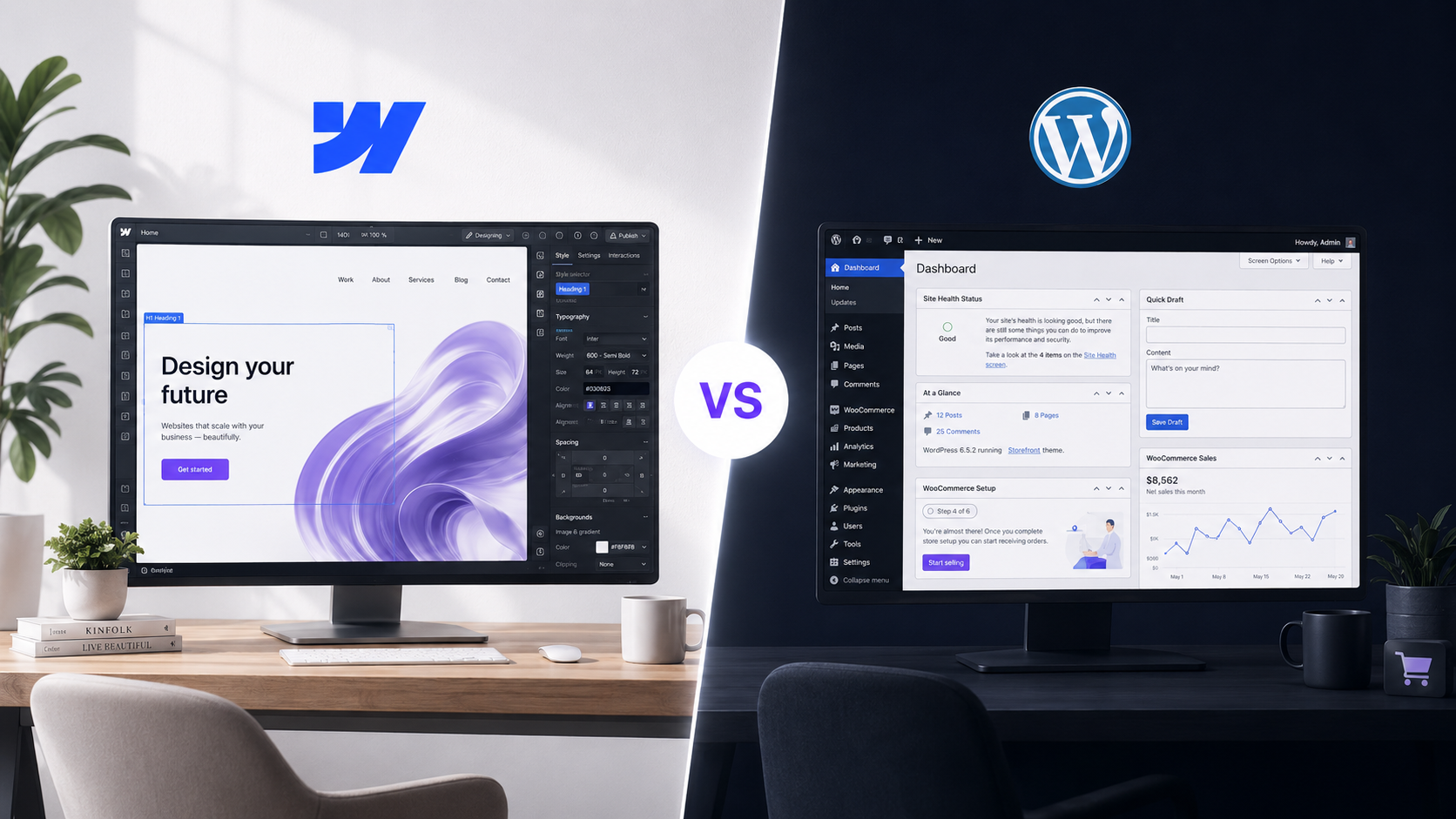
Webflow or WordPress in 2026? It depends on your use case — and AI has reshuffled the deck. Two years ago the expert reflex was simple: whenever possible, lean towards Webflow for its production speed. That criterion no longer settles anything. Since 2025, AI drives both platforms — Webflow through its official MCP, WordPress through AI-driven solutions such as Bricks — which levels the productivity advantage. The decision therefore shifts to what actually matters: scalability, ownership (open source vs hosted SaaS), SEO, the plugin ecosystem, functional complexity and, above all, e-commerce. The short rule: Webflow for design-led brochure sites and corporate sites with fast marketing cycles; WordPress + WooCommerce for complex e-commerce, high content volumes and full ownership. Here is the complete decision grid.
In short — the Webflow vs WordPress decision rule in 2026
- What changed: AI and MCP now drive both platforms → build speed is no longer the deciding argument.
- Choose Webflow if: brochure or corporate site, premium design and animation, fast marketing cycles, light maintenance, non-technical team.
- Choose WordPress / WooCommerce if: e-commerce with many variants, high content volume (blog, catalogue), specific functional needs met by plugins, full ownership (open source).
- The e-commerce tipping point: Webflow caps the number of variants per product; WooCommerce is close to unlimited. A shop with multiple combinations (size × colour × material) → WordPress takes the lead again.
- Cost: WordPress is often cheaper to build, Webflow lighter to maintain; over three years the totals are usually comparable.
The right question is not “which platform wins?” but “which platform for THIS project?”. That is where an agnostic partner makes the difference.
Webflow or WordPress: which one to choose in 2026?
In 2026 there is no universal winner between Webflow and WordPress: the right choice depends on your use case. Webflow is an all-in-one SaaS platform (design, hosting, CMS), ideal for design-led brochure and corporate sites, shipped fast and easy to maintain. WordPress is a self-hosted open-source CMS that excels as soon as you need content volume, specific features through extensions, complex e-commerce (with WooCommerce) and full ownership of your site. The real skill is not defending a technology: it is picking the right one for the project.
To situate the two: WordPress powers roughly 43% of all websites and offers more than 60,000 extensions (W3Techs, WordPress.org). Webflow won over designers and agencies by making pixel-perfect visual control a standard, without writing code. Two opposing philosophies — one open and extensible, the other integrated and controlled — for two families of needs.

What changed in 2026? AI and MCP reshuffled the deck
What makes this comparison different from those written two years ago is AI. Until 2024, Webflow’s knockout argument was its production speed: a designer built a polished site there far faster than by assembling a WordPress theme. That advantage was real and often tipped the balance. In 2026 it has largely been levelled.
The shift has a name: MCP (Model Context Protocol), the standard that lets an AI drive a tool directly. Webflow launched its official MCP in April 2025: an AI agent can create elements and styles and manage the CMS on the canvas. On the WordPress side, builders such as Bricks are now AI-driven and produce structured pages at high speed. The result: both platforms are now equal on build productivity. Speed no longer discriminates, so the decision moves to fit with the use case.
This is a market reality METASENSE masters for the client’s benefit: building fast and well on either platform, then recommending the one that serves the project — not the one that suits the agency. AI is not a magic argument; it is what makes us agnostic without sacrificing velocity.
Webflow vs WordPress: the comparison table
These are the criteria that matter in 2026, once AI has neutralised build speed. The point is not to crown a winner row by row, but to see which project profile leans which way.
No single row settles the question. It is the combination of your constraints — design, volume, e-commerce, ownership, maintenance — that points to the right platform. And one criterion tips the decision more often than the others: e-commerce.
Webflow or WordPress for e-commerce? The variant tipping point
For e-commerce, WordPress + WooCommerce clearly takes the lead as soon as the catalogue gets complex, especially on product variants. This is the clearest case where “it depends” turns into a firm decision.
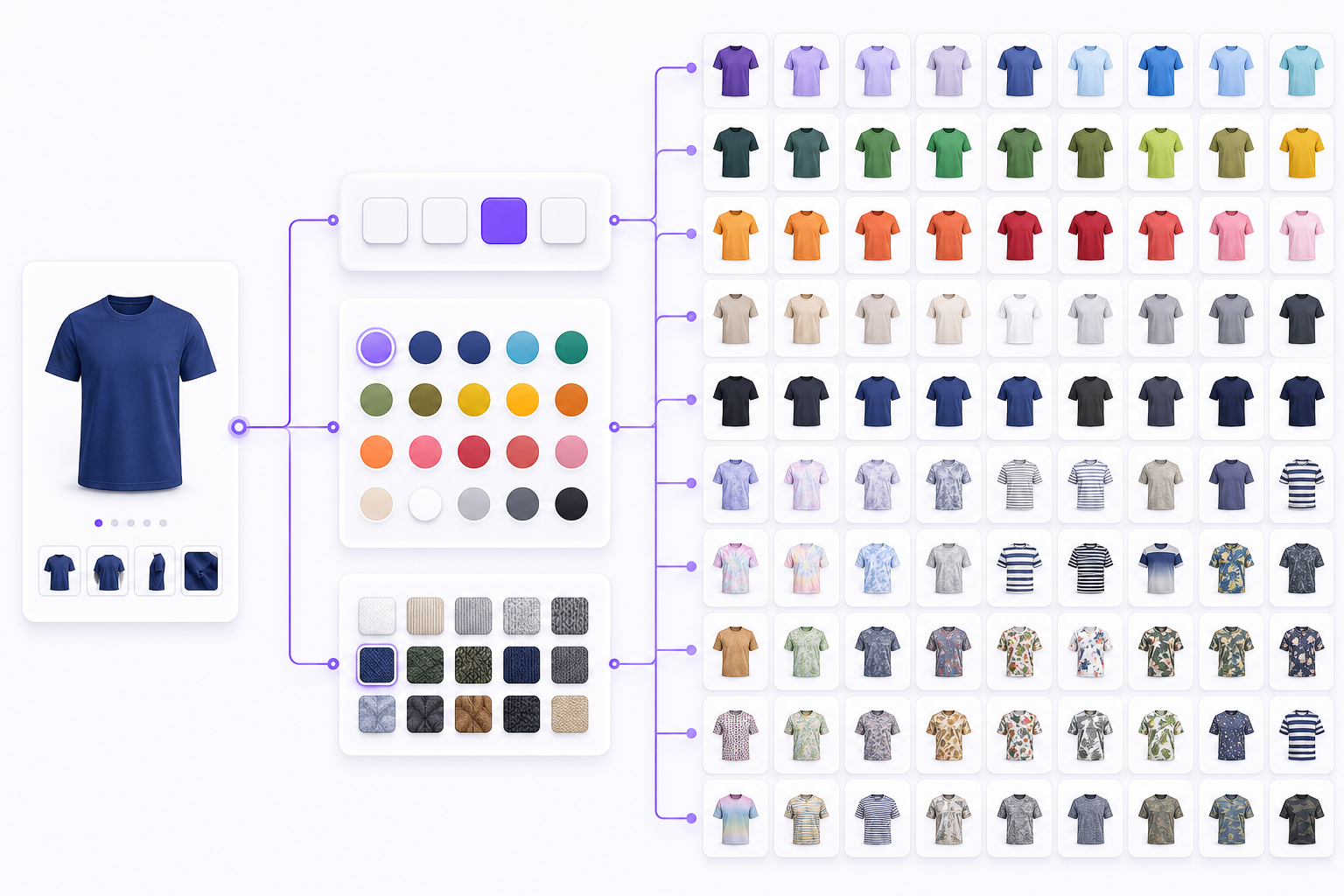
Webflow e-commerce handles a controlled catalogue well, with impeccable design. But it caps the number of variants per product and the number of option sets (size, colour, material…). The community regularly points to this native limit, and it is the subject of a recurring feature request (public sources cite a ceiling in the order of a few dozen variants per product, generally 50, with some documentation mentioning up to 100 — the exact figure may change, so check case by case). In practice: a shop selling products with many combinations (for example a garment in 6 sizes × 8 colours × 4 materials = 192 variants) hits the ceiling quickly.
Conversely, WooCommerce handles a close to unlimited number of products and variations by default (WooCommerce.org). Beyond fifty or so variations, management calls for some technical optimisation, but there is no functional wall: it is a performance question to solve, not an impossibility. For a catalogue rich in variations, B2B with per-customer pricing, fine-grained stock rules or ERP integrations, the WooCommerce ecosystem (and its thousands of extensions) offers headroom that Webflow e-commerce does not have.
So the e-commerce rule: simple shop, few variants, premium design as the priority → Webflow fits. Catalogue with multiple combinations, high volume, business logic or B2B → WordPress + WooCommerce, without hesitation.
Webflow or WordPress for SEO?
On technical SEO, both platforms are excellent in 2026 — there is no clear winner. Webflow generates clean code, controllable semantic markup and solid performance by default, without a plugin. WordPress relies on mature extensions (Yoast, Rank Math) that give very fine SEO control, and on hosting you choose yourself, so you can optimise it as far as you like.
The deciding factor is not the platform but what you do with it: information architecture, speed, content, internal linking, structured data. A poorly thought-out Webflow site will be overtaken by a well-optimised WordPress site, and the other way round. For very high content volumes (media, high-output blog, catalogue), WordPress keeps a slight scalability edge; for a marketing site with controlled content and strong design, Webflow holds up perfectly.
Webflow or WordPress: which is cheaper?
WordPress is generally cheaper to build, Webflow lighter to maintain — over three years the total cost is often comparable. WordPress is open source, so the licence is free; you pay for hosting (from a few euros a month) and, where relevant, premium extensions and maintenance time (updates, security). Webflow charges a subscription (site plan, plus an e-commerce plan where relevant) that includes hosting and platform maintenance — fewer technical tasks on your side.
The classic trap is comparing the purchase price alone. The right benchmark is total cost of ownership: hosting + maintenance + changes across the life of the site. METASENSE does not publish a price list: we price each engagement individually. For market benchmarks by type of site, see our dedicated article on budget.
To understand how a web project budget is built (and avoid buying badly), read How much does a custom website cost in 2026?.
Can AI build a Webflow or WordPress site?
Yes — and that is exactly what changed the game in 2026. AI can now drive site construction on both platforms: on Webflow through the official MCP (the agent creates elements, styles and CMS content), on WordPress through AI-driven builders such as Bricks. AI speeds up layout, content structuring and repetitive tasks.
But generating is not designing. AI produces fast; it does not decide the strategy, the conversion architecture, the art direction or the choice of platform. That is where the value sits: AI is an accelerator, not an architect. A site that performs still comes from business framing, considered design and controlled execution — AI makes all of that faster, not automatic.
Webflow or WordPress: the decision matrix by use case
Here is the operational summary. Find your dominant use case, read the recommended platform. The criterion is no longer build speed, but fit with the need.

The last row matters: sometimes the right answer is neither CMS. When the project is a business platform or a SaaS product with heavy logic, custom development (in Nuxt, for example) serves the need better than a CMS pushed out of shape. Here too, the point is to make the right diagnosis — not to apply a technology out of habit.
Why an agnostic partner changes everything
The risk in asking a supplier “Webflow or WordPress?” is landing on a single-technology vendor: they will recommend what they know how to build, not what you need. The value of an agency that masters both — and goes beyond them when necessary — is choosing the right platform for your project.

At METASENSE, a Creative Tech agency based in Vélizy-Villacoublay, we wear a double hat: strategy and creative on one side, in-house technical expertise on the other — from idea to rollout. A few markers from our portfolio that show this case-by-case choice:
- On Webflow: for Gourand (textiles, a house founded in 1971), a refreshed identity and the company's first website, delivered in under two weeks. The right tool for a design-led brand site shipped fast.
- On WordPress: for The Mortgage Professionals (Vancouver), a WordPress rebuild with a custom calculator and SEO work — the right call when you need specific features and a site that keeps evolving. And for Terra Concept (high-end tiling), a WooCommerce store with search by effect and finish.
- When a CMS is not enough: for CPX Group (international logistics), a corporate site shipped in 72 hours, custom-built (Nuxt + Vercel + headless CMS); for RYM, a SaaS marketing management platform (Nuxt) generating recurring revenue. Proof that we go beyond CMSs when the project demands it.
That is useful agnosticism: no Webflow dogma, no WordPress dogma. Diagnosis first, technology second. And whatever the platform, it is the method that makes a site convert: see Building a website in 2026: a high-performing site that generates leads.
So, Webflow or WordPress for your project?
The honest answer is still “it depends” — but now with a clear rule. Webflow if your priority is a premium-design brochure or corporate site, with fast marketing cycles and light maintenance. WordPress / WooCommerce if you are aiming at complex e-commerce, high content volumes, specific features or full ownership of your site. And sometimes neither: a custom build. The safest move is to frame your use case before choosing the technology.
Explore our web development & design expertise · Frame your project in a single meeting
FAQ — Webflow or WordPress in 2026
Webflow or WordPress: which one to choose in 2026?
It depends on your use case. Webflow suits design-led brochure and corporate sites, with fast marketing cycles and light maintenance. WordPress (with WooCommerce) wins for complex e-commerce, high content volumes, specific functional needs and full ownership of the site, because it is open source and self-hosted.
What changed between Webflow and WordPress in 2026?
AI. Until 2024, Webflow won on build speed. Since 2025, AI has driven both platforms — Webflow through its official MCP, WordPress through builders such as Bricks — which levels that advantage. The deciding criterion moves from speed to fit with the use case.
Webflow or WordPress for e-commerce?
WordPress + WooCommerce for complex e-commerce. Webflow caps the number of variants per product (in the order of a few dozen), which blocks shops with many combinations (size × colour × material). WooCommerce handles a close to unlimited number of variations. For a simple shop with premium design, Webflow remains a good choice.
Webflow or WordPress for SEO?
Both are excellent for SEO in 2026, with no clear winner. Webflow produces clean, fast code by default; WordPress offers fine control through Yoast or Rank Math and free choice of hosting. The deciding factor is not the platform but the underlying work: architecture, speed, content, internal linking, structured data.
Webflow or WordPress: which is cheaper?
WordPress is often cheaper to build (open source, free licence, you pay for hosting), Webflow lighter to maintain (a subscription that includes hosting and security). Over three years the total cost is often comparable. Compare total cost of ownership, not just the purchase price.
Can you migrate from Webflow to WordPress (or the other way round)?
Yes, migration works in both directions, but it is a real project: exporting and remapping content, rebuilding the design, SEO redirects to preserve rankings. Choosing the right platform from the start, based on the use case, beats migrating afterwards, which costs more.
Webflow or WordPress for a blog or high content volume?
WordPress, generally. It is built for content at scale (media, high-output blog, catalogue) and stays fast with thousands of articles. Webflow handles a blog of controlled size very well, but its plans impose CMS item limits that can constrain very large content bases.
Is Webflow really faster to build than a WordPress site?
That was true until 2024. In 2026 the gap has narrowed sharply: AI drives both platforms (Webflow MCP, AI builders on the WordPress side) and modern WordPress page builders produce quickly. Build speed is therefore no longer the deciding criterion; fit with the use case is.
Can AI build a Webflow or WordPress site on its own?
AI can drive construction on both (the official MCP on Webflow, Bricks and others on WordPress) and greatly speeds up layout and content structuring. But it replaces neither the strategy, nor the conversion architecture, nor the art direction. AI accelerates execution; it does not architect a project.
Webflow or WordPress for ownership and data sovereignty?
WordPress. Being open source and self-hosted, you own the code, the data and the choice of host — useful for sovereignty and independence. Webflow is hosted SaaS: very comfortable, but you depend on the platform and its terms. For some organisations this criterion is structural.
What if neither Webflow nor WordPress suits my project?
That happens often with business platforms or SaaS products with heavy logic. In those cases, custom development (in Nuxt, for example) usually serves the need better than a CMS pushed out of shape. The point is to make the right diagnosis upfront rather than applying a CMS out of habit.
Does METASENSE work on both Webflow and WordPress?
Yes. METASENSE is a Creative Tech agency based in Vélizy-Villacoublay with expertise in Webflow, WordPress and WooCommerce, and goes beyond them (Nuxt, headless) when the project demands it. Our value is being agnostic: we choose the platform that fits your use case, not the one that suits us.
Sources
- Webflow Help Center — Create product options and variants
- Webflow Wishlist — Increase product variant limit from 50
- WooCommerce — Variable Products Documentation
- Barn2 — WooCommerce Product Variations: The Complete Guide
- Webflow Developer Documentation — Introducing Webflow's official MCP server
- W3Techs — Usage statistics of WordPress
- G2 — Webflow vs. WordPress in 2026
- Hostinger — Webflow vs WordPress : quelle plateforme choisir ? [2026]