

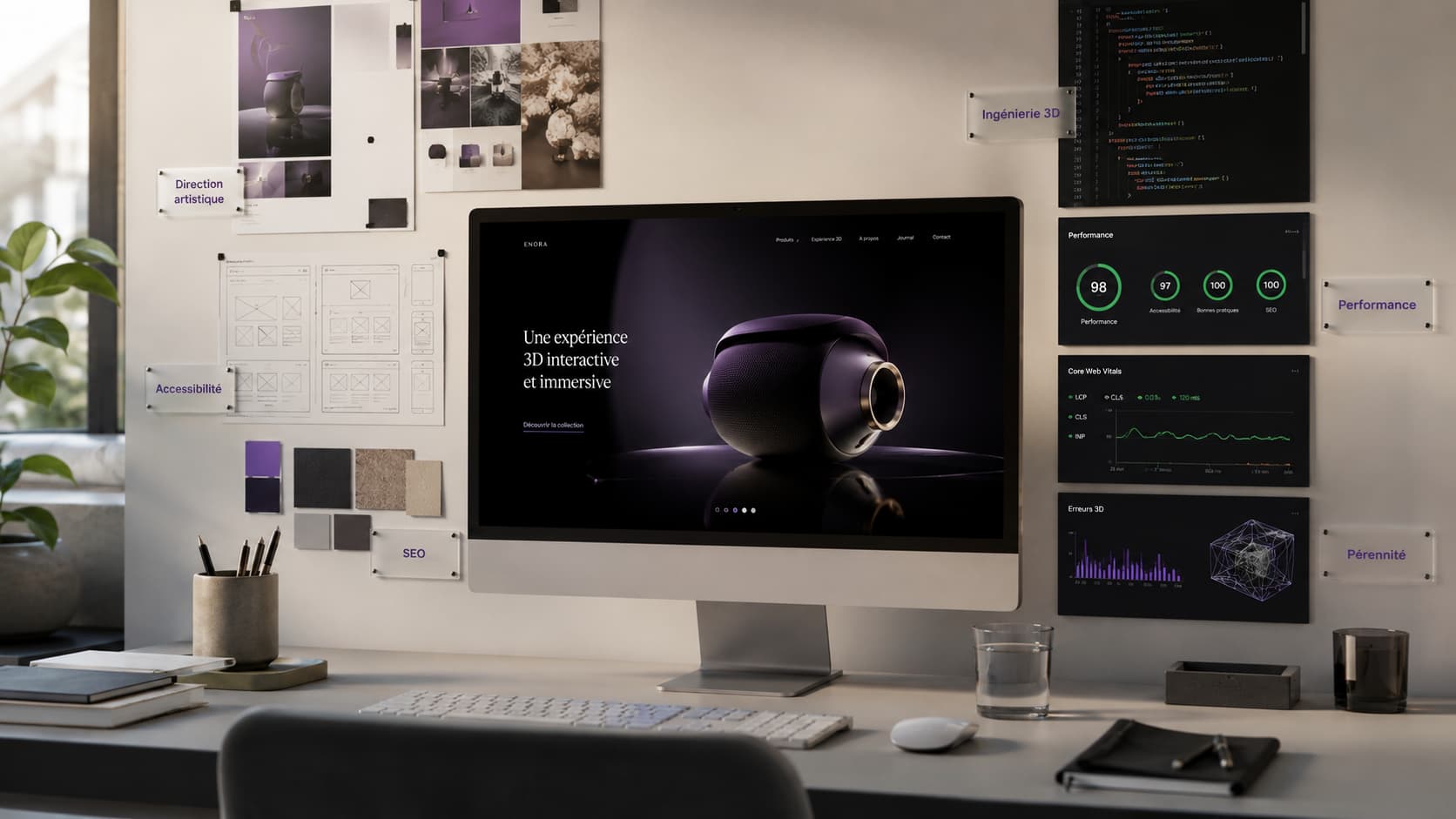
To put 3D on a website, the choice of stack comes down to an arbitration between three families: Spline (a no-code visual editor) to move fast on a visual or a hero, React Three Fiber to embed 3D cleanly inside a React application, and custom Three.js (or even low-level WebGL/WebGPU) when performance, complexity or control take priority. There is no "best" technology in the absolute: there is the one that matches your real need, your team, and your performance and SEO constraints. This article gives you an honest decision grid — when Spline is more than enough, and when to switch to custom Three.js so you do not regret it six months later.
Three.js, React Three Fiber, Spline: what are they, and how do they fit together?
These three names are not three competitors on the same level: Spline and React Three Fiber rest, directly or indirectly, on the same foundation as Three.js. Understanding that hierarchy is the first key to choosing well.
- Three.js is the reference JavaScript library for rendering real-time 3D in a browser, driving the GPU through WebGL (and increasingly WebGPU). It is the technical foundation: scene, camera, lights, materials, geometries. With around 2.7 million weekly npm downloads and 112k GitHub stars, it is by far the most widely used 3D web technology — roughly 270× more than Babylon.js (Utsubo, npm).
- React Three Fiber (R3F) is a React "renderer" built on Three.js: it lets you write a 3D scene as React components (JSX) instead of imperative code. It does not replace Three.js, it wraps it for the React/Next.js ecosystem. Expect around 700k npm downloads per week — popular, but confined to React projects (npm).
- Spline is a no-code visual 3D editor: you compose a scene with the mouse, as in Figma, then export it to your site (often through an embedded viewer). Under the hood, the rendering is still WebGL. It is the tool that opens 3D up to designers, with no code to write (Svilenković, MDX).
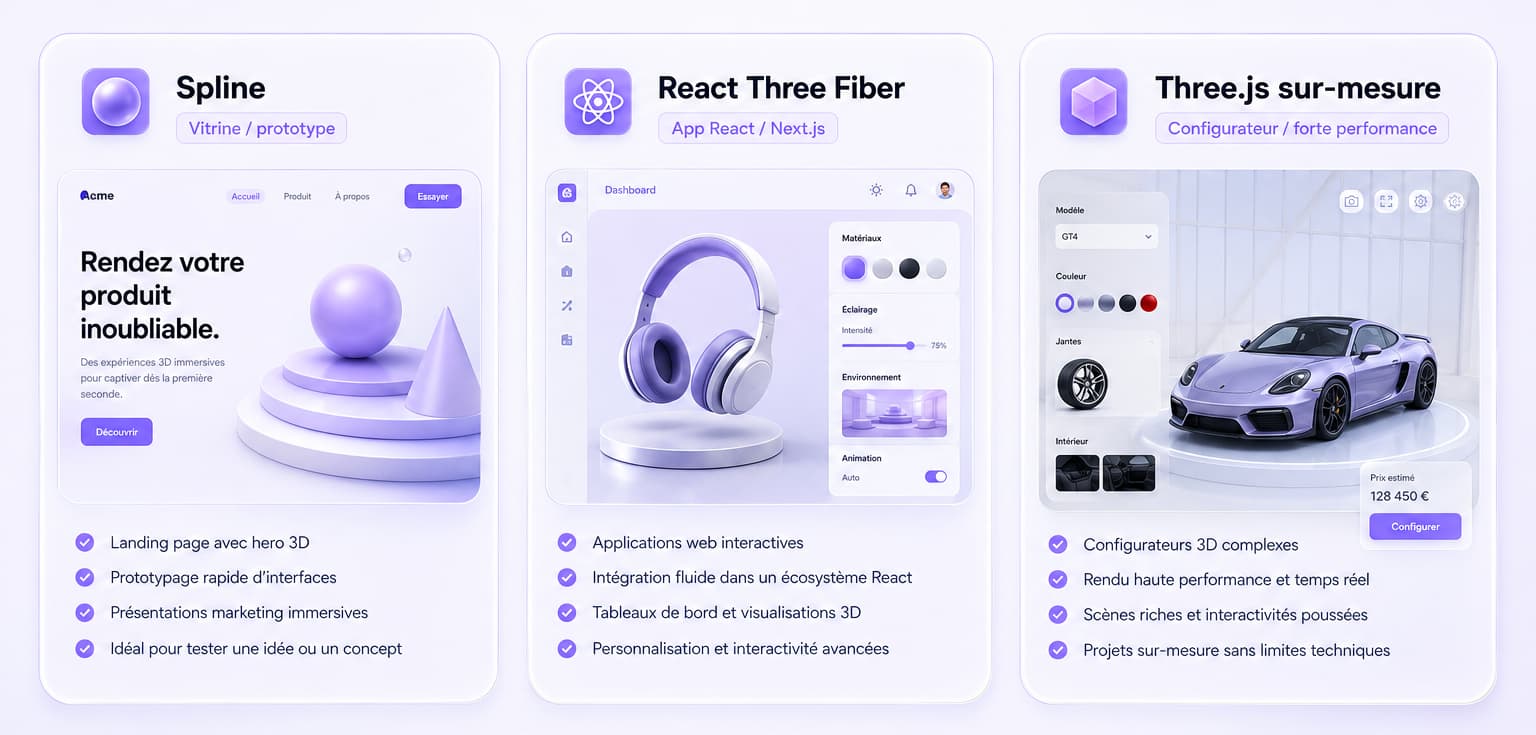
Put differently: Three.js is the foundation, R3F is a way to drive it in React, and Spline is a way to produce it without code. So the choice is not about "which is best" but about the level of abstraction you want — or need — to work at.
| Technology | Nature | Who for | Built on |
|---|---|---|---|
| Spline | No-code visual editor | Designers, prototyping, marketing | WebGL (proprietary runtime) |
| React Three Fiber | Declarative React renderer | React / Next.js teams | Three.js |
| Three.js | Low/mid-level JS library | Developers, custom builds | WebGL / WebGPU |
| "Raw" WebGL / WebGPU | Low-level GPU API | Extreme cases, engines, R&D | The GPU directly |
Which criteria should decide your 3D stack?
Six criteria are enough to settle it: performance, time-to-market, autonomy and maintenance, framework integration, accessibility, and SEO. This is the grid we apply when scoping a project, before opening any editor. No technology wins on all six: the point is to weight them for your project.
- Performance — How heavy is the scene, how much traffic, which mobile targets? The higher the requirement, the more you move towards a controlled custom build.
- Time-to-market — Do you need to ship a landing page in three weeks, or build an experience that will live for four years? Spline accelerates the short term; Three.js pays off over time.
- Autonomy & maintenance — Who will keep the scene evolving? A designer (Spline) or a dev team (R3F/Three.js)? Dependence on a third-party editor is a genuine issue.
- Framework integration — Is your site built on React/Next.js, Vue/Nuxt, Webflow? R3F shines in React; raw Three.js fits anywhere; Spline is embedded through a viewer.
- Accessibility — A 3D scene can break scrolling, keyboard focus and text selection. A custom build lets you plan alternatives; a closed viewer, far less (Tuts+).
- SEO — Indexable content must stay in HTML, outside the canvas, and the 3D must not sink your Core Web Vitals. It is a criterion of execution, not of technology — but some stacks make it harder to hold.
Three.js or React Three Fiber: which one to choose?
The choice hinges on a single question: is your site built in React? If yes, React Three Fiber; if not (or for maximum control), raw Three.js. Both produce exactly the same 3D — R3F adds no capability, it changes the way you write the scene.
React Three Fiber has a decisive advantage in a React/Next.js project: the 3D scene becomes a component tree, just like the rest of the interface. State, props, hooks, ecosystem (the Drei helper library) — everything is shared with the app. The result: fast prototyping and clean maintenance when the 3D has to talk to the UI (a click on a React button animating a 3D object, for instance). The Poimandres ecosystem (R3F + Drei) is mature and widely adopted (npm, r3f.docs.pmnd.rs).
Raw Three.js keeps the edge when you want total control and the lightest bundle: no abstraction layer, direct access to every new feature (WebGPU, advanced post-processing), and above all around 7× more documentation, examples and Stack Overflow answers than R3F, a simple consequence of its user base (Three.js Journey). It is also the right choice outside React: a Webflow site, Nuxt/Vue, or plain vanilla HTML.
What is Spline, and when should you use it?
Spline is a no-code 3D editor in the browser that lets a designer create and animate a 3D scene without writing code, then embed it on a site. It is ideal for an animated hero, a decorative object, a marketing landing page or a prototype — far less so for a heavy, high-traffic or performance-critical 3D experience.
Its strength is real: it closes the designer-developer gap on simple 3D elements (hero, badge, floating object) and delivers in a few days what would take weeks in code (MDX, cssauthor). For a four-week prototype or a marketing page, Spline often wins the race against the clock (Svilenković).
Its limits are just as real, and you need to know them before committing:
- Weight and runtime. Spline ships its own runtime engine on top of the scene: even a simple scene can generate heavy CPU work on load, which weighs on Core Web Vitals and on mobile (Tuts+).
- Limited control. You stay on the editor's rails: fine-grained optimisation, deep integration with the rest of the app and complex custom behaviours quickly move out of reach.
- Accessibility and interactions. Like any full-screen 3D, a badly framed embed can disturb scrolling, keyboard focus or text selection — plan for it (Tuts+).
- Dependency. The scene lives inside a third-party tool: factor that into your maintenance and longevity strategy.
The good news: Spline is not a dead end. You can often export a scene to code (React/R3F, or a Three.js loader) as the need grows — using Spline to mock up and switching to a custom build to industrialise is a common, healthy trajectory.
Comparison: Spline vs React Three Fiber vs custom Three.js
Here is the condensed decision grid — read it criterion by criterion, weighting each one for your project. The mental colour code: Spline = speed, R3F = balance in a React context, custom Three.js = control and performance.
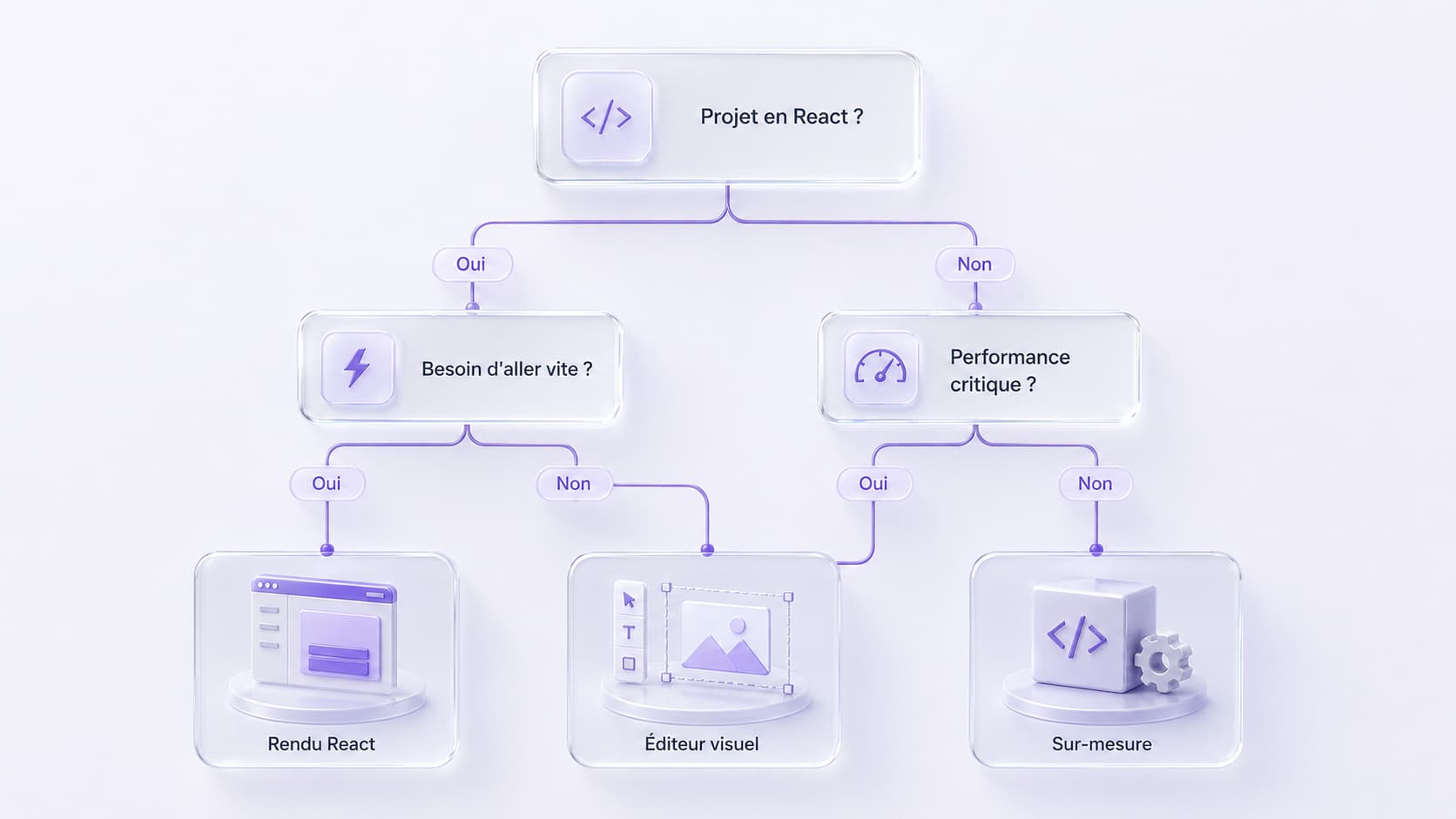
| Criterion | Spline (no-code) | React Three Fiber | Custom Three.js |
|---|---|---|---|
| Performance / controlled weight | Average (heavy runtime) | Good | Excellent |
| Time-to-market | Excellent | Good | Average |
| Autonomy (who maintains it?) | Designer, no code | React team | 3D dev team |
| Framework integration | Embed / viewer | Native React/Next.js | Anywhere (agnostic) |
| Control / custom work | Limited | High | Total |
| Accessibility & SEO under control | Needs watching | Manageable | Manageable (ideal) |
| Typical use case | Hero, prototype, landing page | React app with 3D | Configurator, high traffic |
Is a site with 3D / WebGL good for SEO and performance?
Neither good nor bad by nature: execution decides, and the stack you choose directly affects how hard that execution is. Fast, accessible, well-served 3D is neutral or even favourable for SEO (more time on page, more engagement). Heavy 3D that degrades Core Web Vitals — LCP, INP, CLS — penalises rankings and conversion. The risk is exactly the same whatever the technology; what changes is your room to manage it.
Three rules hold for every stack:
- Indexable content stays in HTML, outside the WebGL canvas: search engines (and AI systems) do not read a 3D scene.
- 3D loads after the critical content (lazy-load), so that the LCP rests on a lightweight element.
- A fallback is planned: a version without WebGL guarantees accessibility and robustness on modest devices.
On the stack side: with custom Three.js, all three rules are entirely under your control (Draco geometry compression, KTX2 textures, dynamic import, fallback). With Spline, you depend more on the viewer's settings and on the tool — possible, but more constrained. That is precisely why a project where SEO and performance are critical leans towards a custom build. For the detail of optimisation techniques (Draco, KTX2, performance budget, Core Web Vitals), see our dedicated article Le web immersif en 2026 : 3D & WebGL sans sacrifier la performance.
How much does a site with interactive 3D cost?
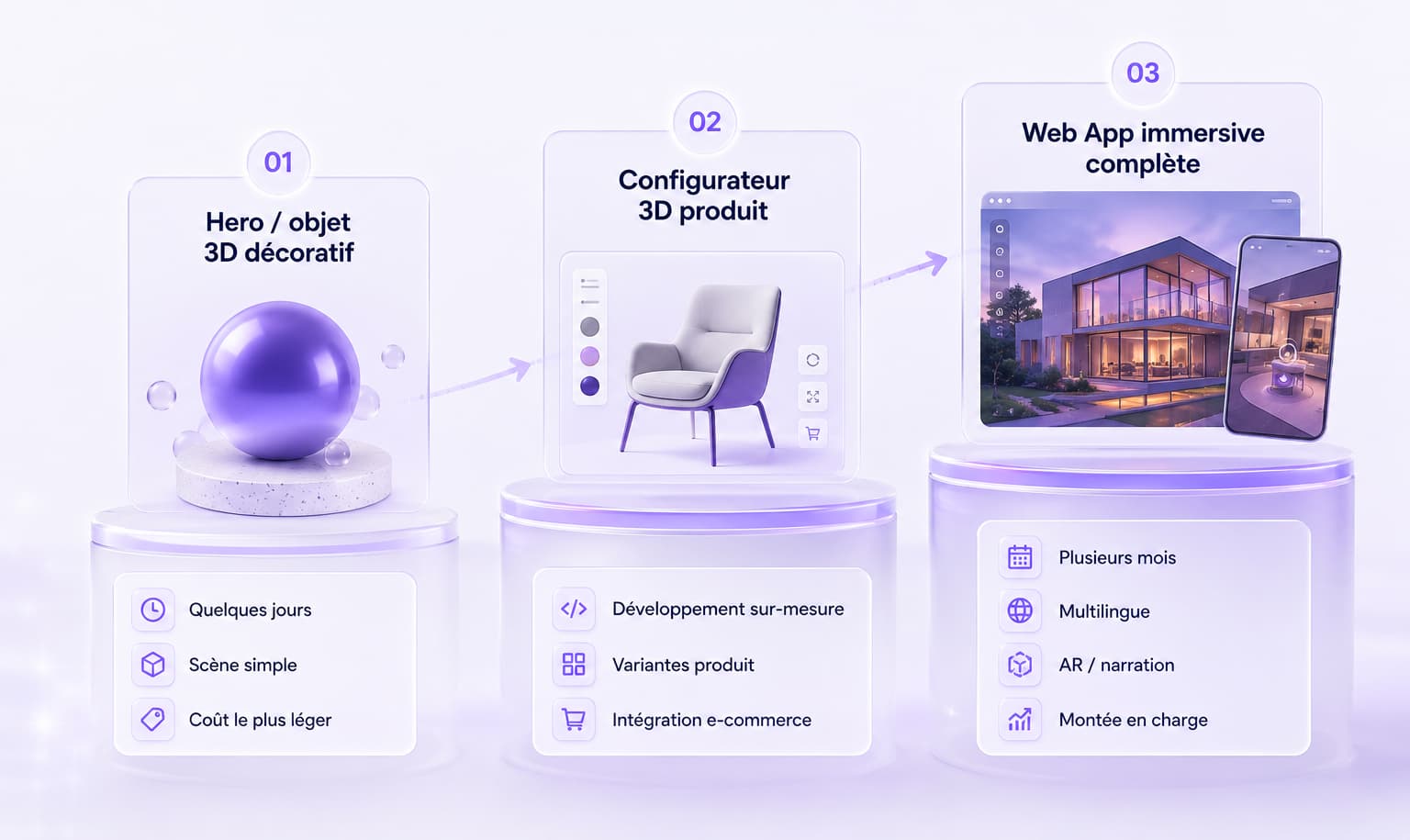
The budget depends less on the technology than on the ambition of the scene: an animated Spline hero, a custom 3D configurator and a full immersive Web App are not in the same order of magnitude. Three factors set the price: 3D modelling (creating or sourcing the assets), development and integration (the interactive mechanics, the link with your site), and optimisation (performance, mobile, SEO, accessibility) — the most underestimated line of all.
Market benchmarks to situate the order of magnitude (to be weighted by scope):
- Hero / decorative 3D object (Spline-style): the cheapest, especially if the scene is simple and produced by a designer — a few days of work.
- Custom 3D product configurator: modelling + variants + e-commerce integration + optimisation — a genuine development project.
- Full immersive Web App / experience: storytelling, AR, multilingual, CMS, scaling — several months.
METASENSE does not publish a rate card and prices each engagement individually, setting the objectives, the scope and the performance budget from the first meeting. To understand when a 3D configurator earns its 3D back, read Configurateur 3D produit : la personnalisation au service de la conversion.
How do you keep a 3D site fast and accessible?
By imposing a performance budget from the design stage and treating accessibility as a requirement, not an option. Whatever the stack, the levers are well known — the difference lies in the discipline to apply them.
- Optimise the assets: compressed geometry (Draco, −90% to −95%), KTX2/Basis textures (roughly 10× less GPU memory), GLB delivery, levels of detail (LOD).
- Orchestrate loading: lazy-load, dynamic import of the 3D, loading after the critical content, heavy computation in a Web Worker to protect INP.
- Keep content in HTML: headings, copy and metadata outside the canvas, for SEO and screen readers.
- Plan a fallback: a 2D or still-image version without WebGL, and respect for reduced-motion preferences for accessibility.
- Measure continuously: track Core Web Vitals after go-live, not only during acceptance testing.
Why the right stack choice sits at the intersection of design and engineering
Because a bad stack decision does not show at delivery — it is paid for six months later, in degraded performance, impossible maintenance or a full rebuild. Choosing between Spline, R3F and Three.js is not a tool choice: it is a choice of trajectory (speed vs longevity, autonomy vs control), and it requires understanding both the creative intent and the engineering constraints.
That is the dual role of METASENSE, a Creative Tech agency based in Vélizy-Villacoublay: we design (art direction, experience) and we build (3D development, optimisation, deployment) in-house — which lets us recommend the right stack, not the most impressive one on paper. Our clearest proof: Nemausus — Nîmes-la-Romaine (with Aura, formerly EDEIS, for the City of Nîmes), a multilingual 3D WebGL Web App reachable from a simple QR code, with 3D exploration of the monuments, AI-driven storytelling, augmented reality and gamification. The experience held thousands of simultaneous connections — concrete proof that ambitious web 3D can stay fast and robust at the scale of a city, because the stack was chosen for performance, not for convenience.
So which 3D stack should you choose, in one sentence?
Spline to move fast and impress on a brochure site or a prototype; React Three Fiber if your app runs on React; custom Three.js as soon as performance, SEO, complexity or traffic become critical. And when you hesitate, the question is not "which technology?" but "how long will this experience live, and how demanding is it?" — the answer to that one almost always settles the first.
Let's talk about your 3D project
Torn between a Spline hero and a custom configurator? You want 3D that genuinely performs, without sinking your SEO? That is exactly our job — from ideation to stack choice, through to optimisation and deployment. METASENSE designs AND builds your 3D experiences in-house, from Vélizy-Villacoublay.
Explore our 3D & immersive expertise · Talk about your 3D project
FAQ — 3D web stacks: Three.js, React Three Fiber, Spline
Three.js or React Three Fiber: which one to choose?
React Three Fiber if your site runs on React or Next.js: the 3D scene becomes React components, easier to integrate and maintain alongside your interface. Raw Three.js otherwise — outside React, for total control, a minimal bundle or a very complex scene. In both cases Three.js runs underneath, so the skill transfers.
What is Spline and when should you use it?
Spline is a no-code 3D editor in the browser: a designer creates and animates a scene without coding, then embeds it on a site. Use it for an animated hero, a decorative object, a marketing landing page or a prototype. Avoid it for heavy, high-traffic or performance-critical 3D, where its runtime and limited control become a brake.
Is a WebGL / 3D site good for SEO and performance?
Neither good nor bad by nature: it all depends on execution. Fast, accessible 3D is neutral to favourable for SEO; heavy 3D that degrades Core Web Vitals penalises it. Three rules: keep indexable content in HTML outside the canvas, load the 3D after the critical content, and plan a fallback without WebGL.
How much does a site with interactive 3D cost?
The budget depends on ambition, not on technology: a Spline hero, a custom 3D configurator and a full immersive Web App do not share the same scope. Three items weigh on it: asset modelling, development and integration, and optimisation (performance, mobile, SEO). METASENSE does not publish a rate card and prices each engagement individually.
How do you keep a 3D site fast and accessible?
By imposing a performance budget from the design stage: compressed assets (Draco, KTX2), deferred loading of the 3D, heavy computation in a Web Worker, content in HTML outside the canvas, a 2D fallback and respect for reduced-motion. Then by measuring Core Web Vitals continuously after go-live, not only during acceptance testing.
Does Spline replace Three.js?
No. Spline is a visual editor sitting on top of the same kind of WebGL rendering as Three.js: it exists to produce simple scenes quickly, without code. Three.js remains the technical foundation for custom, high-performance or complex experiences. Spline is often used to prototype, then the project switches to Three.js to industrialise.
Is React Three Fiber slower than Three.js?
No, not significantly: React Three Fiber generates the same Three.js scene underneath. The React overhead exists but stays marginal for most projects. Raw Three.js keeps the edge on fine-grained control, minimal bundle size and documentation (around 7× more resources), but R3F does not "slow down" the 3D itself.
Can you use 3D on a Webflow or WordPress site?
Yes. On Webflow or WordPress, you generally embed Spline for a simple scene, or a custom Three.js script for a controlled experience. React Three Fiber, on the other hand, assumes a React/Next.js environment. The choice depends on the complexity you are aiming for and the level of performance and integration you need.
What is WebGPU, and should you wait for it before starting?
WebGPU is the browser's new GPU API, faster than WebGL for complex scenes and now available in the major browsers. Three.js supports it with an automatic fallback to WebGL. There is no need to wait: you build today and benefit from WebGPU wherever it is available, without breaking compatibility.
Which 3D stack should you choose for a product configurator?
For a 3D product configurator — variants, performance, e-commerce integration, SEO — custom Three.js is the preferred route (in React Three Fiber if the site runs on React). Spline can serve to mock up, but a production configurator demands the control over weight, loading and fallback that only a custom build fully guarantees.
Does METASENSE build 3D web experiences?
Yes. METASENSE is a Creative Tech agency based in Vélizy-Villacoublay, France, specialising in 3D, WebGL and immersive experiences. Its dual role — art direction and 3D/performance engineering — allowed it to deliver the 3D WebGL Web App for Nîmes-la-Romaine, which held thousands of simultaneous connections, and the Kia 3D + AR configurator (with Edenauto).
Sources
- Utsubo — What's New in Three.js (2026): WebGPU, New Workflows & Beyond (market share, WebGPU)
- npm — @react-three/fiber and react-three-fiber vs three (npm trends) (downloads)
- Three.js Journey — What are React and React Three Fiber (documentation, ecosystem)
- Svilenković — Three.js vs Spline — Code-First vs Visual Tool
- MDX — Best 3D Websites of 2026: Examples That Actually Work
- Envato Tuts+ — How to optimize Spline 3D scenes for speed and Core Web Vitals
- cssauthor — Best 3D Web Design Tools: No-Code & Frameworks
- R3F docs (Poimandres) — React Three Fiber: Introduction