

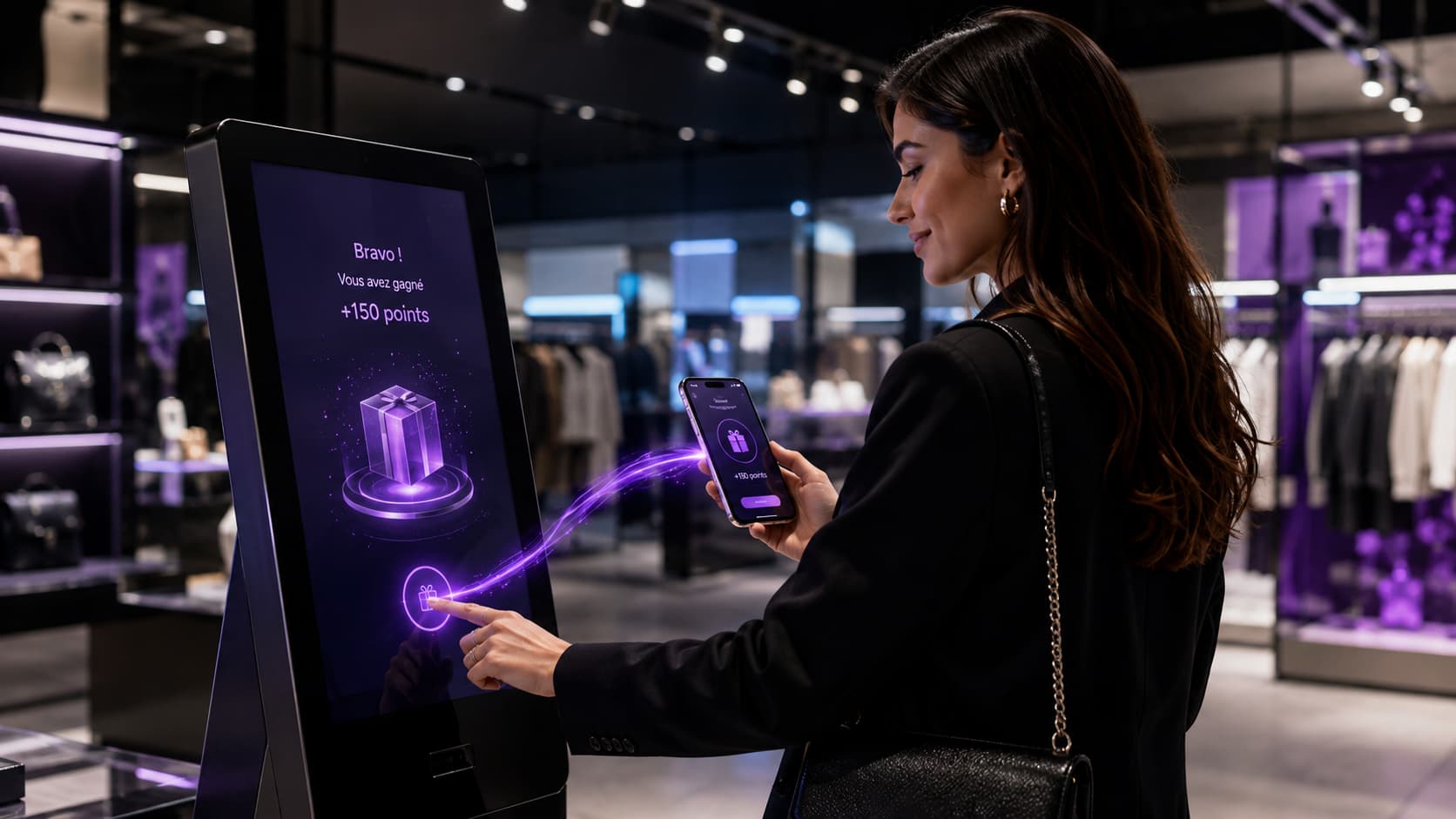
An interactive kiosk in store does not bring customers in: it converts the ones already through the door. That is what separates it from a campaign. Footfall is won elsewhere — the subject of our piece on drive-to-store in 3D and augmented reality. The kiosk comes after: it captures intent at the exact moment the customer is standing in front of the product, it gives them a reason to act, and — when it is properly designed — it hands over to their phone so the relationship survives the exit door. A kiosk that never makes that handover is just a lit piece of furniture.
This article is written for the people who run a store network and have to decide: which use goes on the screen, which technical architecture holds across 200 stores, what may lawfully be collected, who looks after it on Monday morning, and above all what breaks — because that is where most of these projects die. We are a Creative Tech agency based in Vélizy-Villacoublay: we design, build and deploy this type of experience (phygital kiosks, AR kiosks, 3D configurators), and what follows is what we have learned doing it.
A word on figures, because the topic is saturated with them. Those taken from published research are attributed by name and dated. Those from our own deployments are flagged as such, not dressed up as market averages. And where we found no solid data, we say so rather than recycle a brochure percentage.
In short
- Definition: an interactive kiosk in store is a physical self-service unit that gives the customer independent access to a digital service (play, configure, browse, get in touch) inside the shop.
- It converts, it does not attract. Its audience is capped by store footfall: this is not a media channel.
- The store is still where the decision happens: 75% of French consumers prefer to complete their purchase in store, against 22% online, and 51% consider digital in-store tools useful for smoothing their journey (Samsung Smart Retail Barometer 2025). The global self-service kiosk market was worth $34.3bn in 2024, growing 10.9% a year to 2030 (Grand View Research) — a worldwide figure covering every kiosk category.
- The argument of this article: a web app with no download holds up better over time than an application installed on the machine — instant updates across the whole estate, no technician to send out, and the journey continues on the customer's phone.
- The honest counter-example: dedicated hardware with an installed application is still the right call for heavy continuous use, strict locked-down kiosk mode, sites with no reliable network, or setups with peripherals (payment, printer, card reader).
- Two constraints that are design workstreams, not tick-boxes: GDPR consent (freely given, specific, informed, unambiguous, pre-ticked boxes banned — CNIL) and accessibility of self-service terminals, mandatory since 28 June 2025 under the European Accessibility Act where the kiosk serves a covered service (e-commerce, banking, passenger transport, electronic communications, audiovisual media). Outside that scope it is good practice, not an obligation.
- What competitors never talk about: the failure modes. Kiosk switched off, network down, dirty screen, queue at peak, prize stock exhausted, session left open — and, most common of all, the kiosk moved, unplugged or shifted into the stockroom, which nobody notices. Every one of them is handled at design stage, not by support.
What is an interactive kiosk in store?
An interactive kiosk in store is a physical unit — touchscreen, totem or enclosure — installed in a shop that gives the customer independent access to a digital service: playing a game, browsing an extended catalogue, configuring a product, leaving a review or contacting the brand. One thing separates it from a digital signage screen: the customer acts, rather than watches.
The market vocabulary is loose, and that confusion costs budgets. Here are the four objects routinely lumped together as "kiosks":
| Object | What it does | What the customer does | Common mistake |
|---|---|---|---|
| Digital signage screen | Loops a piece of content | Watches (or not) | Buying it while believing you are buying interaction |
| Information / catalogue kiosk | Opens up a data source (stock, sizes, product sheets) | Looks for an answer | Filling it with content nobody ever updates |
| Transactional kiosk | Ordering, payment, collection, checkout | Completes a task | Underestimating peripherals and maintenance |
| Phygital kiosk | Connects the store to the customer's digital journey | Plays, identifies themselves, leaves with something on their phone | Skipping the handover → the whole thing resets to zero |
A useful definition — A phygital kiosk is a kiosk whose job is not to deliver information but to connect the in-store experience to the customer's digital journey: what starts on the kiosk continues on their phone, and what started on their phone finishes in store. That chaining — not the screen — is what creates value.
What a kiosk is not for
Better said early; it saves three months of disappointment.
A kiosk does not generate footfall. Its maximum audience is your store's traffic, full stop: footfall is won upstream, through media, a prize game or a 3D/AR experience — precisely the subject of our article on drive-to-store. Nor does it replace a salesperson. In the Samsung Smart Retail Barometer 2025, 76% of French shoppers name the relationship with staff as the leading reason to visit a store, up 12 points on 2023; a kiosk relieves staff of repetitive tasks, or steps in when they are busy — it does not stand in for them.
It is not a media channel either, and that is the most expensive framing error of all: you judge it on trigger rate against incoming footfall and on cost per participant, never on impressions. Finally, it will not rescue a weak offer. A brilliant setup in a store with no clear proposition simply speeds up the diagnosis.
What can you actually run and capture on an in-store kiosk?
Only seven uses hold up over time on an in-store kiosk, and they are chosen on a single criterion: the amount of time a customer will give you standing up, in the middle of a shop. Our working benchmark, drawn from our own deployments rather than published research: past a minute and a half, drop-off becomes visible, a queue forms, and the kiosk turns into an operations problem. Treat it as an order of magnitude to re-test against your own footfall, not a law of retail.
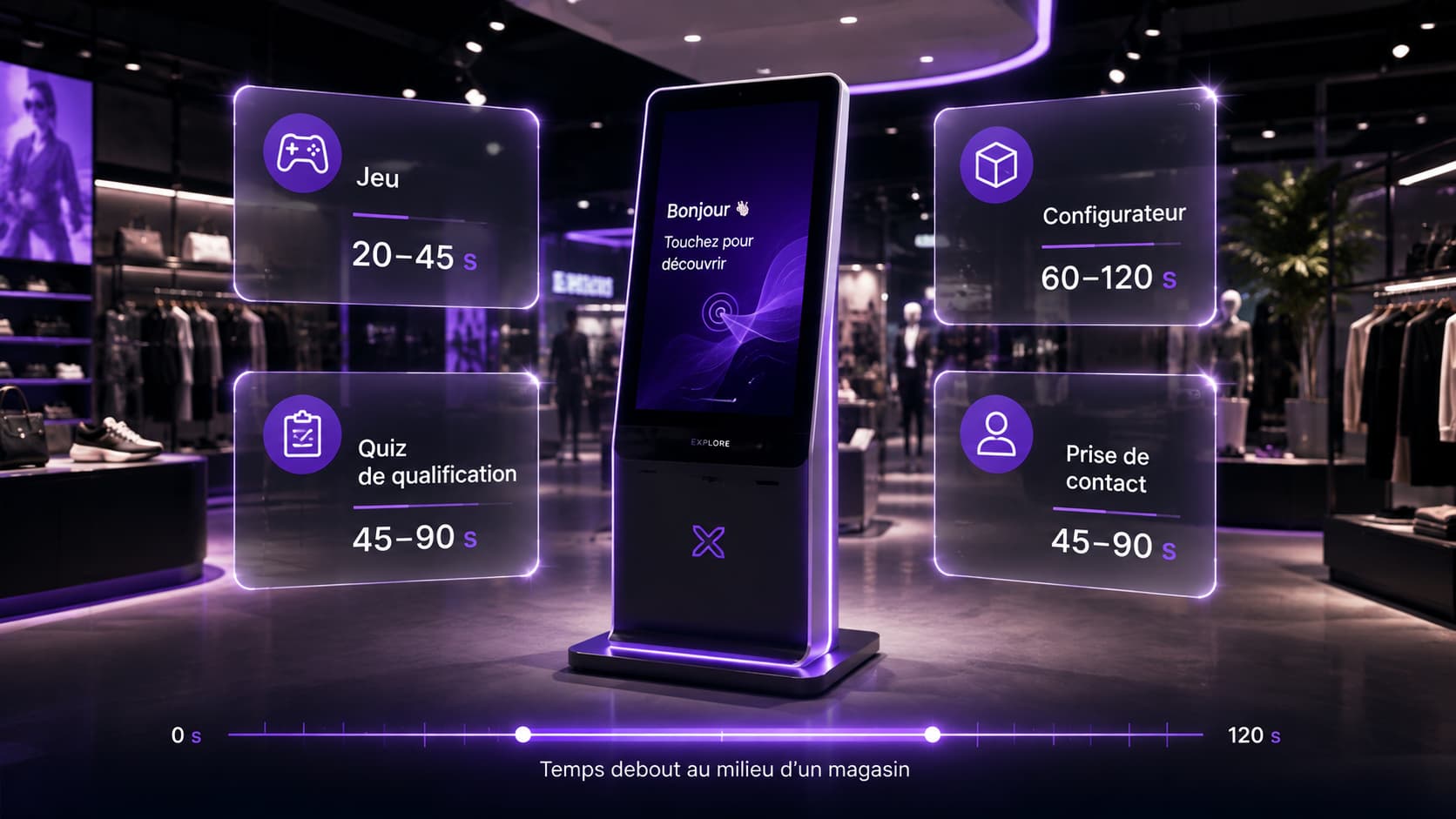
| Use | What it produces | Duration observed on our projects | The trap |
|---|---|---|---|
| Game / instant win | A spike of attention and a reason to leave a contact detail | 20–45 s | A weak prize pool kills the mechanic by week two |
| Prize draw | A base of entrants over a set period | 30–60 s | Without proper rules and consent, the base is unusable |
| Quiz / diagnostic | Qualification (need, profile, right product) | 45–90 s | Too many questions = mid-flow drop-off and orphaned data |
| Product configurator | A personalised project the salesperson can pick up | 60–120 s | Needs calm and a seat, otherwise it never reaches the end |
| Extended catalogue | Access to stock and lines absent from the shelf | 30–90 s | An unsynchronised data source destroys trust instantly |
| Contact capture / appointment | A qualified appointment, a call-back, a quote | 45–90 s | No call-back commitment across the network means a broken promise |
| Reviews & satisfaction | A live measure, store by store | 10–20 s | One rating screen only, or nobody answers |
These durations are orders of magnitude recorded on our own deployments, not a market average: to our knowledge, no published French study documents interaction times on in-store kiosks. Use them to choose between two mechanics, not to build a business plan.
One point of method, true of any project of this kind: engagement is the subject, gamification is only the tool. You do not put a game on a kiosk because "games work", but because a game mechanic is the shortest route to a voluntary action from someone who asked for nothing. If another route is shorter, take it. The full range of mechanics available to retail is covered in our article on gamification in e-commerce and retail.
What this looks like in practice
Three projects we designed and built, for three different uses — and they are transferable mechanics, not sector specialisms:
- For Gocad, we deployed a network of phygital kiosks paired with a Web AR game (NFC/AR) and a proprietary management platform: over 6,000 participants. The screen is not the point; the chain is. The kiosk triggers, NFC/AR moves the experience onto the phone, the platform centralises and reports back to the network.
- For Diffusion Plus, the setup was an interactive stand with an AR "Jackpot" kiosk running an instant-win mechanic, extended by connected packaging in AR + AI serving personalised cocktail recipes. Two moments: capture on site, continue on the product taken home — the logic of augmented reality packaging.
- For Edenauto, a dealer group, we produced a WebGL 3D configurator and a WebAR experience around the launch of the Kia Picanto, alongside an FOOH campaign. The configurator is the textbook case of a use that gains from being on both the kiosk (in store, with the salesperson) and the phone (at home, in peace).
And if the goal is volume rather than depth, a kiosk is probably the wrong tool: the online prize game we built for Akram × CDLA drew 30,000 visitors in under three months — a figure no kiosk estate reaches. The two complement each other rather than compete: the online game brings people in, the kiosk converts them on site. Our guide to running an online prize game covers the upstream half.
Key point: a kiosk is a high-intent, low-volume touchpoint. Judge it on how much of your incoming footfall it converts, never on raw interaction counts.
Web app with no download, or installed application: what to choose for a kiosk estate?
For a kiosk estate spread across multiple stores, a web app with no download holds up better over time than an application installed on the machine — because it updates instantly across the whole estate, with nobody sent into the field. That is our position, and it proves itself at six months rather than on launch day.
The reasoning, in four points:
- Updates. A content fix, a change of prize, a new mechanic: on a web app that is one deployment, and 200 kiosks are current a second later. On an installed application it is an update campaign — a plan, an MDM, unreachable machines, and one forgotten kiosk in the stockroom still showing the Christmas promotion in March.
- The field. The real cost of an estate is not the hardware, it is the travel. Every physical intervention in a store costs more than the content it goes to fix.
- Version drift. An estate running installed applications always ends up heterogeneous: three versions in production, three behaviours, statistics that cannot be compared between stores. That is the silent poison of network management.
- Continuity on the phone. This is the decisive point, and the next section is devoted to it: a web experience transfers to the customer's phone through a single link. An application installed on the kiosk cannot — it stops at the edge of the screen.
Where dedicated hardware is still the right choice
There are five situations where our argument does not hold, and where dedicated hardware with an installed application wins outright.
| Situation | Why the installed application / dedicated hardware wins |
|---|---|
| Heavy, continuous use | Ordering, checkout, collection: network latency turns into queue length |
| Strict locked-down kiosk mode | Blocking any exit from the application, any system access, any misuse (a kiosk layer is required anyway, web or not) |
| No network, or an unstable one | Poorly covered retail parks, basement stores, outdoor events: you need a local fallback mode |
| Hardware peripherals | Card reader, printer, scanner, coin unit, sensor: low-level control sits badly in a browser |
| Certification constraints | Payment and regulated environments require approved software stacks |
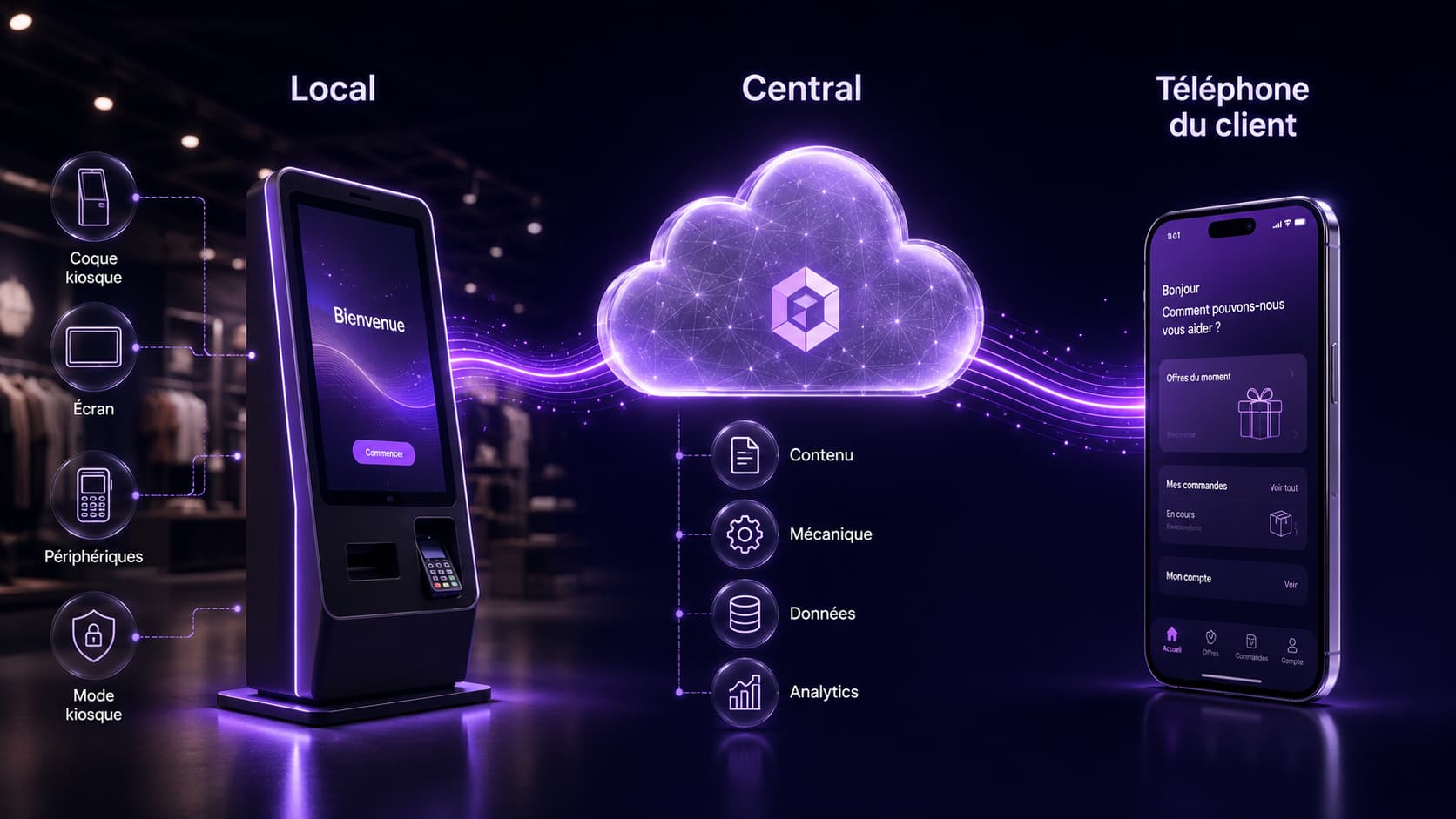
In practice the answer is rarely binary: the right architecture for a network is usually a stable local kiosk shell (handling lockdown, automatic restart, a minimal offline mode and peripherals) displaying a centralised web app (carrying all the content, the mechanic and the data). You keep the robustness of the machine and the agility of the web. That is what our dual capability allows: designing the experience and the architecture that will keep it alive for three years.
Key point: the question is not "web or native", it is "what must be local, and what must be central?". Local: lockdown, restart, peripherals, fallback mode. Central: content, mechanic, data, measurement.
How does the kiosk connect to the customer's phone?
A kiosk stops being a gadget at the exact moment it hands over to the customer's phone — because that is the only object that leaves the store with them. Everything that stays on the kiosk screen dies with the session. Everything that moves to the phone keeps existing.
Four handover mechanisms, from the simplest to the most committing:
- The continuity QR code. The customer starts on the kiosk (game, configuration, selection) and scans to pick their session up on their phone. No download, no mandatory account.
- NFC. A tag or an object placed on the kiosk moves the experience to the phone with a single tap: that is the mechanism behind the setup we deployed for Gocad, where the kiosk triggers and the phone carries the augmented reality game.
- The result sent on. The customer leaves with something: a code, a voucher, a saved configuration, a ticket, a photo. That is what makes the interaction memorable, and traceable all the way to the till.
- Deferred resumption. A journey started in store finishes at home, and the other way round. It is the only configuration where the project still produces value three weeks after the visit.
The technical corollary matters: if the experience is a web app, this handover is native — same code, same session, same data, simply shown on another screen. If the experience is an application installed on the kiosk, you have to build a dedicated bridge, and that bridge is almost always the first thing cut when the budget tightens.
The same principle applies outside retail, at a trade show or on a roadshow, where the constraint is sharper still: nobody installs an app for a stand. That is the subject of our article on immersive experiences at events.
What can you lawfully collect on an in-store kiosk?
You may collect anything the customer gives you voluntarily, provided their consent is freely given, specific, informed and unambiguous — and separate for each purpose. In practice: entering a game and agreeing to receive marketing offers are two separate consents, never one.
⚠️ This section is a documentary summary written to help scope a project, not legal advice. The GDPR (notably articles 4(11) and 7) and the CNIL's guidance are what count; your legal team decides.
What the CNIL states explicitly on electronic marketing:
- consent must be obtained before any approach, through a positive and specific action;
- pre-ticked boxes are banned: the box must be unticked by default;
- accepting terms and conditions does not amount to consent;
- the "existing customer" exemption (offers of similar products or services) does not apply where no sale or service has taken place, and simply creating an account is not enough;
- every approach must identify the organisation and offer a simple way to unsubscribe.
Translated into design decisions, that gives a kiosk checklist:
| Item | What it means on screen |
|---|---|
| Separate purposes | One box for entering, a distinct box for marketing — unticked, never conditional on each other |
| Data minimisation | Ask only for what the operation needs. A first name and an email cover most mechanics |
| Information | A notice legible while standing: who processes the data, why, for how long, what rights — not 900 words in 12-point type |
| Retention period | Set per purpose, before launch, and purged automatically |
| End of session | The most overlooked item: a session left open exposes the previous customer's data to the next one. Short timeout and screen wipe are mandatory |
| Proof of consent | Timestamp, version of the wording displayed, channel — without them the database is indefensible |
| Processing agreement | A proper data processing agreement with the supplier hosting and handling the data |
The specific issue with kiosks is the timeout. On the web, the user closes the tab. On a kiosk, they walk away — and leave their screen open. A well-designed kiosk returns to the home screen and purges the session after a few dozen seconds of inactivity, without exception. This is not a comfort feature: it is the main data-leak risk of any in-store setup.
Does a kiosk have to be accessible? What the European Accessibility Act changed in 2025
Since 28 June 2025, a self-service terminal must be accessible where it is used to provide one of the services covered by the European Accessibility Act: e-commerce, consumer banking, passenger transport, electronic communications, access to audiovisual media. Directive (EU) 2019/882 was transposed in France by law no. 2023-171 of 9 March 2023 and order no. 2023-859 of 6 September 2023; the precise list of products concerned sits in article D. 412-49 of the French Consumer Code.
That condition changes everything for the reader of this article, and almost nobody spells it out. Under self-service terminals, the French text covers payment terminals, then "automated teller machines, ticketing machines, check-in machines and interactive self-service terminals providing information" — this second family being expressly intended for the provision of the services covered by article D. 412-50.
In plain terms. A kiosk that lets someone buy online from the store, take out a banking service, or buy or validate a transport ticket falls squarely within scope. A prize game, product catalogue or appointment-booking kiosk in a fashion retailer generally does not — it is a matter of good practice and commercial risk, not legal obligation. We are not here to sell you regulatory fear; we want you to know what is being talked about when a supplier bills "EAA compliance" on a setup that is not subject to it. That said, designing a kiosk that a visually impaired or wheelchair-using customer cannot operate, in a shop open to the public, is a poor decision even where it is legal.
What to keep in mind when scoping a project:
- Scope (article D. 412-49): payment terminals, then — where they serve a covered service — ATMs, ticketing machines, check-in machines and interactive terminals providing information;
- Typical requirements: audio output (jack socket or Bluetooth), a non-touch-only alternative with perceptible feedback, height and reach constraints, sufficient contrast and text size;
- Existing hardware: terminals lawfully in use before 28 June 2025 may continue in service until the end of their economically useful life, capped at fifteen years from commissioning (DGCCRF guidance; the directive itself caps at twenty years, France opted for fifteen);
- Transition: contracts signed before 28 June 2025 may run unchanged until they expire, and no later than 28 June 2030 (DGCCRF guidance);
- Micro-enterprise service providers: exempt if they employ fewer than 10 people and have annual turnover or an annual balance sheet total not exceeding €2M — the exemption does not cover manufacturers;
- Enforcement and penalties in France: enforcement sits with the DGCCRF for products and services under the Consumer Code, and with Arcom for audiovisual media. Contrary to what is often written, these are not administrative penalties: article R. 451-4 of the Consumer Code punishes such breaches with the fine set for fifth-class contraventions, namely €1,500 for an individual and €7,500 for a legal entity, rising to €3,000 and €15,000 for a repeat offence (articles 132-11 and 132-15 of the French Criminal Code). The DGCCRF specifies that these fines are cumulative according to the number of breaches recorded — that is where the real exposure sits for a network, not in the unit amount. Its officers may also order compliance, where appropriate under a daily penalty.
On the design side, three very concrete consequences: the choice of enclosure (height, reach, floor footprint) becomes as structural a decision as the choice of screen; the interface must be navigable by something other than a finger on a 40-pixel target; and the web content shown on the kiosk falls under the same rules as any other digital interface (contrast, sizing, alternatives, reading order). One piece of good news along the way: a properly built web app inherits the entire accessibility toolkit of the web, which a hand-drawn proprietary interface has to reinvent from scratch.
⚠️ Again: a documentary summary to help scope a project, to be validated by your own advisers. The legal references are listed at the end of the article.
Who switches it on, who cleans it, who revives it? Running a kiosk estate day to day
An in-store setup almost never dies of a technical fault: it dies because nobody in the store is named as responsible for it. Operations are the real subject, and they are decided before the hardware is bought, not after.
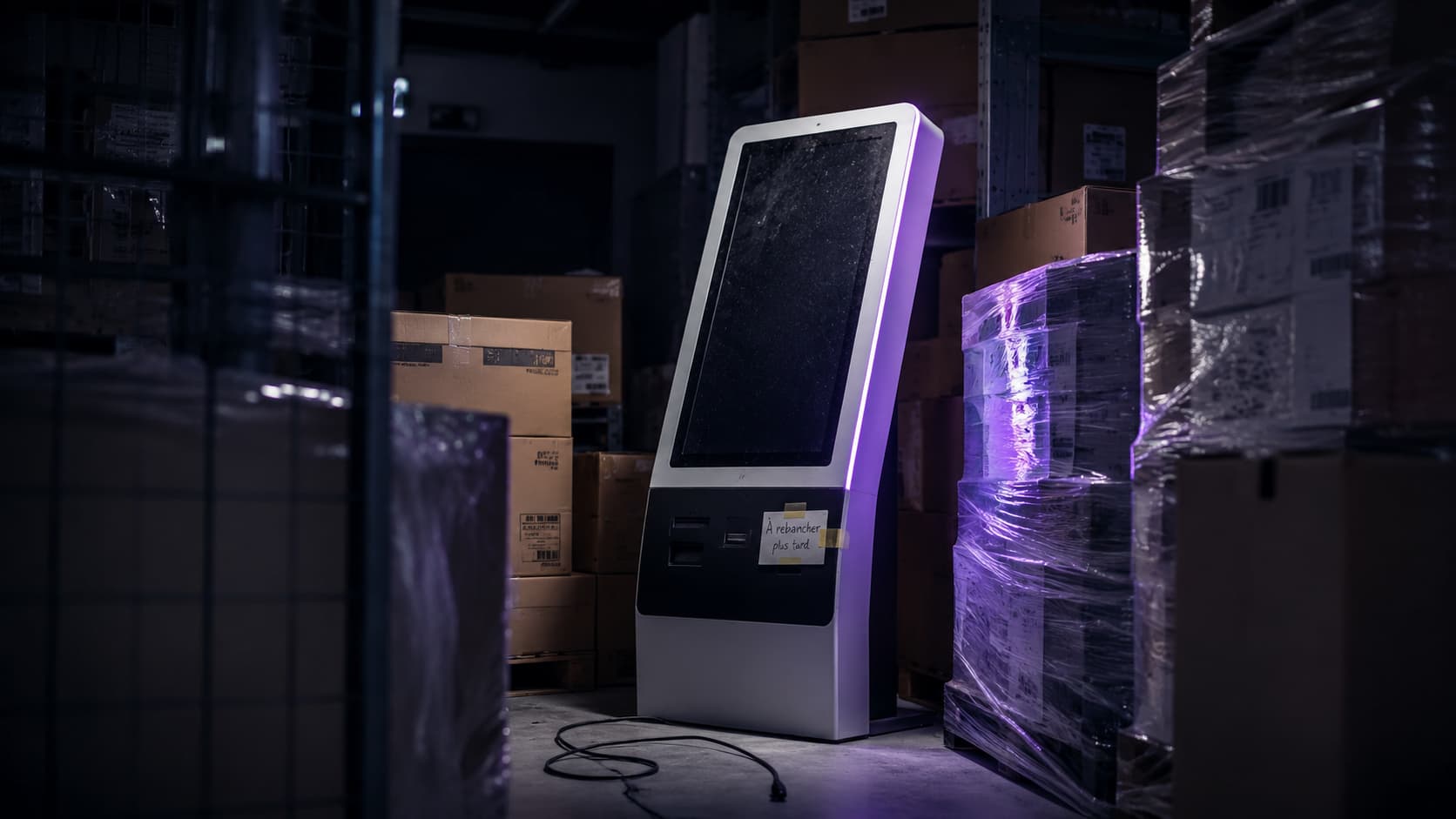
The rule that works: one named owner per store, and three moments in the day.
Opening (morning) — three thirty-second checks: the kiosk is on and showing the home screen of the right campaign; the screen is clean, because a dirty touchscreen cuts the trigger rate before the first finger lands; the prizes or consumables (vouchers, cards, paper) have been restocked.
During the day — staff know how to invite customers to the kiosk. This is the single most profitable gesture of the whole project: a kiosk nobody points people towards does markedly less volume than one that is actively used. We have no publishable ratio to put against it, but across our deployments it is the leading source of variance between two identically equipped stores. It requires a short skills transfer to the sales team: fifteen minutes, a one-pager, a few talking points, and the purpose of the campaign.
Closing — session purged, kiosk on standby or switched off per instructions, any incident reported.
Centrally, three non-negotiable functions:
- Monitoring: every kiosk sends a heartbeat and reports its status. Write an availability target into the maintenance contract, whatever it is: it only means something if you know, to the minute, which kiosk has gone silent. We found no published, dated, methodologically defensible availability rate for a retail kiosk estate in France — when a supplier quotes "99.5%", ask across what scope, measured how, and what happens when it slips.
- Network engagement: a leaderboard, a nudge, a campaign reminder. An estate with no engagement drops off fast, and it is by far the most common cause of disengagement we see — measured in weeks, not months.
- Content cadence: a kiosk showing the same thing for six months stops being seen by the staff, and they are the first to stop pointing customers to it.
What are the failure modes of a kiosk, and how do you pre-empt them?
In-store setups fail for seven known reasons, and every one of them is handled at design stage. This is the part the brochures skip; it is also the part that separates a successful pilot from a rollout that lasts.
| Failure | What the customer sees | What it costs | The countermeasure, from design onwards |
|---|---|---|---|
| Kiosk off or frozen | A black screen, or the operating system desktop | 100% of the project, with nobody aware | Scheduled automatic restart, kiosk mode with auto-relaunch, a central alert as soon as the heartbeat stops |
| Network down | An endless loading screen, then they give up | A whole day lost, and an amateurish impression | Local fallback mode (a decent holding screen, queued uploads), 4G failover, never a raw browser error page |
| Dirty screen or dead touch zone | A finger that does not register, then they give up | A silent collapse in trigger rate | Large touch targets, active zones spread around (not always in the same place), a daily cleaning instruction |
| Queue | Three people ahead, so they walk on | A setup that plateaus at peak hour, exactly when footfall is highest | Short interaction by design: aim for under a minute at peak, when the general minute-and-a-half benchmark no longer holds; immediate handover to the phone to free the screen; a second entry point by QR code on the window or the shelf |
| Expired content or exhausted prize stock | A campaign that has ended, a prize already awarded | Worse than a kiosk switched off: a broken promise | Centralised content (updated everywhere at once), automatic campaign end, prize-stock alerts |
| Kiosk moved, unplugged, put in the stockroom | Nothing: it has vanished from the journey | The most frequent and least visible failure mode of all | Location approved and documented at installation, presence check in the monitoring, a named owner per store |
| Session left open | The previous customer's data | A confidentiality incident, not an inconvenience | Short timeout, systematic purge and return to the home screen |
Two simple rules head off most of these cases:
- A pilot across 3 to 5 representative stores before rollout, chosen for their constraints (the smallest, the busiest, the worst covered by the network) — not for their enthusiasm.
- A degradation ladder decided in advance: what does the customer see if the network drops? if the prize stock runs out? if the campaign has ended? One written answer per case. If it does not exist, the default answer will be an error page.
How much does an interactive kiosk in store cost?
The hardware is the cheapest and easiest part to price: budget €1,000 to €5,000 per kiosk to buy, depending on screen size and type, and from around €1,700 for an accessible (PMR) unit (HelloPro, prices recorded in September 2026). Most of the budget sits elsewhere: in the experience, the integration with your systems, the prizes and the day-to-day running.
Market benchmarks, to be read as orders of magnitude rather than quotes:
| Item | Market benchmark | Source |
|---|---|---|
| Touchscreen kiosk, purchase | €1,000 to €5,000 per unit, of which €1,000 to €4,600 for 22 to 86-inch formats | HelloPro, September 2026 |
| Accessible (PMR) kiosk | from €1,700 | HelloPro, September 2026 |
| Application maintenance | around €20 per month per kiosk | HelloPro, September 2026 |
| Event hire | roughly €300 to €1,200 for 1 to 7 days | Wawacom, recorded September 2026 (page dated 27 February 2026) |
One clarification that prevents an expensive misunderstanding: a "PMR" accessible kiosk at €1,700 solves height, reach and floor footprint. It says nothing about audio output, a non-touch-only alternative, or interface contrast. PMR does not equal EAA compliance: the enclosure is a condition, not the compliance.
What these figures do not cover — and what actually makes up the budget: experience design, development, integration (CRM, product data, stock, identity), prizes, physical rollout across the network, monitoring and ongoing engagement. We do not publish a rate card: every project is priced after scoping. The method for building a defensible budget and thinking in cost per participant — the only metric comparable to your other acquisition lines — is set out in our article on how much a gamification project costs.
Market context, for perspective: the global self-service kiosk market was worth $34.3bn in 2024 and is expected to grow 10.9% a year between 2025 and 2030 (Grand View Research). Mind the scope, which is very broad: this worldwide figure covers every kiosk category, casino and outdoor included — it is not the French retail kiosk market.
On the demand side, the only quantified data we found comes from US foodservice: the Tillster 2025 Phygital Index, quoted in the Restroworks compilation, finds that 61% of users want more kiosks in restaurants, against 57% in 2024 and 36% in 2023. US panel, published by an ordering-solutions vendor, quoted second-hand: read it as a signal of growing acceptance of kiosks, not as data on French retail.
Granular French data on in-store interaction rates simply does not exist publicly. Be wary of "average interaction rates" quoted without a methodology: yours will depend on your footfall, your placement and your in-store engagement, in that order.
How do you sequence a rollout, and where does the budget really go?
A network rollout runs to seven stages; the most important is the pilot, because it is the only one that will tell you what breaks in your own stores. The table below is not a summary of the previous sections but their translation into a calendar and a budget. The timings are the ones we see on networks of a few dozen to a few hundred stores.
| Stage | Time to allow | Where the budget goes |
|---|---|---|
| 1. Scoping and a single headline metric | 1 to 2 weeks | Almost no spend, all decision-making |
| 2. Choosing the use against standing time | Part of scoping | Prizes are decided here, often the largest line after development |
| 3. Architecture decision | 1 week | The most underestimated item: it sets the cost of every future update |
| 4. Consent and accessibility, before the designs | 1 to 2 weeks, in parallel | Marginal now, very expensive after acceptance testing |
| 5. Pilot across 3 to 5 stores chosen for their constraints | 4 to 8 weeks of real measurement | Hardware for the pilot kiosks only, plus logistics |
| 6. Industrialisation (locations, named owners, monitoring, skills transfer) | Proportional to the estate | Physical rollout and training, almost always under-provisioned |
| 7. Ongoing engagement | Continuous | A recurring line, not a leftover from the project |
The classic trap: putting everything into stage 5, then discovering stage 6 when the kiosks arrive on the loading bay.
Let's talk about your in-store project
You run a store network, a retail brand or a franchise, and you want a setup that survives the launch — not one more screen. We design the experience, we build it, and we architect it so it updates across your whole estate without sending anyone into the field. From idea to rollout, from Vélizy-Villacoublay.
FAQ — Interactive and phygital kiosks in store
What is an interactive kiosk in store?
It is a physical self-service unit — touchscreen, totem or enclosure — installed in a shop, giving the customer independent access to a digital service: playing a game, configuring a product, browsing an extended catalogue, leaving a review or getting in touch. What separates it from a signage screen is interaction: the customer acts.
What is the difference between an interactive kiosk and a phygital kiosk?
An interactive kiosk delivers a service on the spot. A phygital kiosk connects the in-store experience to the customer's digital journey: what starts on the kiosk continues on their phone, and the other way round. That chaining, not the screen, is what creates lasting value.
Does an interactive kiosk bring customers into the store?
No. Its audience is capped by store footfall: it converts customers already inside, it does not attract them. Footfall is won upstream, through media, a prize game or a 3D/AR experience. Kiosks and drive-to-store are complementary, never interchangeable.
Is a web app or an installed application better on a kiosk?
For a distributed estate, a web app with no download holds up better: instant updates everywhere, no technician to send, no frozen version on a forgotten kiosk, and the journey can continue on the customer's phone. An installed application is still justified for heavy use, hardware peripherals or an unstable network.
Does a kiosk work without an internet connection?
Partly. A sound architecture includes a local fallback mode: a decent holding screen, queued uploads, 4G failover. What must be avoided is the raw browser error page, which costs more in brand damage than the outage itself.
What can you lawfully collect on an in-store kiosk?
Only what the customer gives voluntarily, with consent that is freely given, specific, informed and unambiguous. Entering a game and receiving marketing require two distinct consents. Pre-ticked boxes are banned, and accepting terms and conditions does not amount to consent (CNIL).
Do interactive kiosks have to be accessible?
It depends on the service they provide. Since 28 June 2025, the European Accessibility Act (directive (EU) 2019/882, transposed by law no. 2023-171 and order no. 2023-859) requires accessibility for self-service terminals intended to provide a covered service: e-commerce, banking, passenger transport, electronic communications, audiovisual media. A game or catalogue kiosk in a fashion retailer is generally outside that scope; there it is good practice, not an obligation.
What penalties apply to a kiosk that breaches the European Accessibility Act?
They are not administrative penalties. Article R. 451-4 of the French Consumer Code punishes such breaches with the fine set for fifth-class contraventions: €1,500 for an individual, €7,500 for a legal entity, rising to €3,000 and €15,000 for a repeat offence. The DGCCRF specifies that these fines are cumulative according to the number of breaches recorded, and its officers may order compliance, where appropriate under a daily penalty.
How much does an interactive kiosk cost for one store?
Hardware runs between €1,000 and €5,000 per unit depending on screen size and type, and from around €1,700 for an accessible PMR unit (HelloPro, prices recorded in September 2026). Note that a PMR kiosk solves height and reach; it is not EAA compliance. The real budget is elsewhere: design, development, integration, prizes, rollout and ongoing engagement across the estate.
Which uses work best on an in-store kiosk?
Those that fit into under a minute and a half standing up — that is our own benchmark, drawn from our projects rather than published research: a game or instant win, a prize draw, a qualification quiz, a live review, an appointment booking. Configurators and extended catalogues also work, but need a quiet space and, ideally, a salesperson alongside.
Why do most in-store setups run out of steam?
Rarely because of a fault: because nobody in the store is named as responsible, because the content never changes, and because staff stop pointing customers to it. A named owner per store, centralised monitoring and a content cadence solve most of the problem.
How do you measure the performance of an in-store kiosk?
On three metrics: trigger rate against incoming store footfall, interaction completion rate, and handover rate to the customer's phone. Then, overall, cost per participant — the only figure comparable to your other acquisition lines.
Does a kiosk replace the salesperson?
No, it relieves them. In the Samsung Smart Retail Barometer 2025, 76% of French shoppers name the relationship with staff as the leading reason to visit a store. The kiosk takes over repetitive tasks, or steps in when the salesperson is busy — and hands them a customer who is already qualified.
Sources
- Self-service Kiosk Market Size & Share Report, 2025-2030 — Grand View Research (global market of $34.3bn in 2024, CAGR 10.9% 2025-2030; worldwide scope, all kiosk types)
- Baromètre Smart Retail 2025 — Samsung France / Infopro Etudes (75% prefer to complete their purchase in store, 51% find digital in-store tools useful, 76% cite the relationship with staff; survey run November-December 2024, 1,000 consumers and 290 retail decision-makers)
- Self-Ordering Kiosk Restaurant Statistics 2025 — Restroworks (compilation quoting the Tillster 2025 Phygital Index: 61% of users want more kiosks in restaurants, vs 57% in 2024 and 36% in 2023; US panel, secondary source)
- La prospection commerciale par courrier électronique, SMS-MMS et automate d'appel — CNIL (consent freely given, specific, informed, unambiguous; pre-ticked boxes banned; existing-customer exemption)
- RGPD en pratique : maîtrisez votre relation client — CNIL (consent in marketing, right to object, and management of customer relationship data)
- Professionnels : vos produits et services doivent être conformes à la directive « Accessibilité » — DGCCRF / economie.gouv.fr (the reference source for this section: products and services covered, self-service terminals, useful life capped at fifteen years, the 28 June 2030 deadline, the micro-enterprise exemption, and penalties — "fifth-class contraventions: fines of 7,500 euros, cumulative according to the number of breaches recorded")
- Article R. 451-4 du code de la consommation — Légifrance (fine set for fifth-class contraventions: €1,500 for an individual, €7,500 for a legal entity; repeat offences under articles 132-11 and 132-15 of the Criminal Code)
- Article D. 412-49 du code de la consommation — Légifrance (list of products subject to accessibility requirements; interactive self-service terminals providing information are covered where they are intended to provide the services listed in article D. 412-50)
- Décret n° 2023-931 du 9 octobre 2023 relatif à l'accessibilité aux personnes handicapées des produits et services — Légifrance (implementing text, alongside law no. 2023-171 of 9 March 2023 and order no. 2023-859 of 6 September 2023)
- Accessibilité des produits et des services — synthèse EUR-Lex, directive (UE) 2019/882 (scope of the directive)
- Prix d'une borne tactile — HelloPro (€1,000 to €5,000 per unit, of which €1,000 to €4,600 for 22 to 86-inch formats, PMR kiosk from €1,700, application maintenance ~€20/month/kiosk; figures shown as recorded in September 2026 — rolling-date page, to be re-checked at each republication)
- Borne tactile : location, prix et conseils — Wawacom (event hire benchmarks; recorded September 2026, page dated 27 February 2026)